


Original Text and Authorization
Original text: https://linux.do/t/topic/2502409
Authorized by the original author
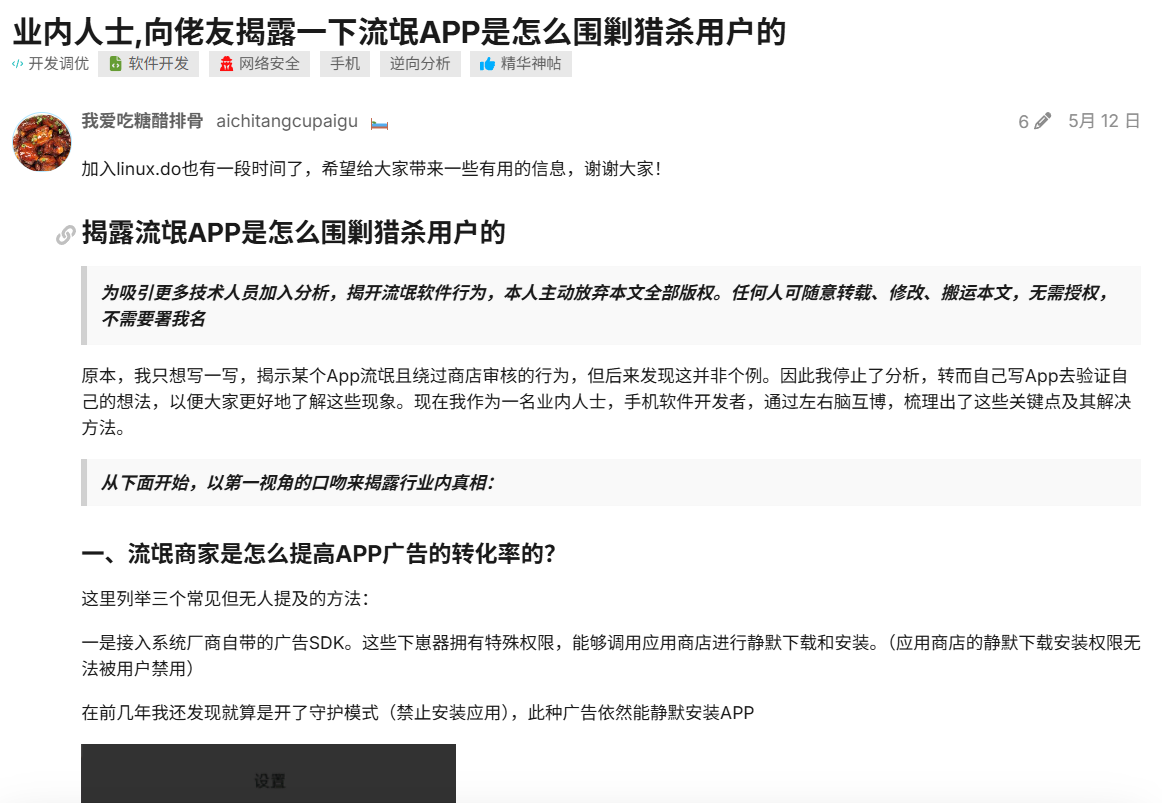
Previous post: (Repost) An insider reveals how rogue apps besiege and hunt down users to fellow netizens
———————————————————————————————————————————————————————————
Main Text:
Let’s talk about where the ads on your phone come from, and how you’re treated differently by them.
First, let’s take Quick Apps as an example:
I’m sure you’ve encountered this situation: when opening an app, many Quick Apps are launched.

Online discussions and speculations about the above “viral jumps” include:
-
Compliant jumps triggered by a slight “shake”
-
The app secretly clicking on ads itself
But these were all just speculations, always lacking concrete evidence. So, after analyzing packet capture data and reading developer documentation, I found that things aren’t as complicated as they seemed.
Quick Apps are different from regular ad-jumping apps
Regular ad-jumping apps are intercepted by the system, and a pop-up asks for confirmation.
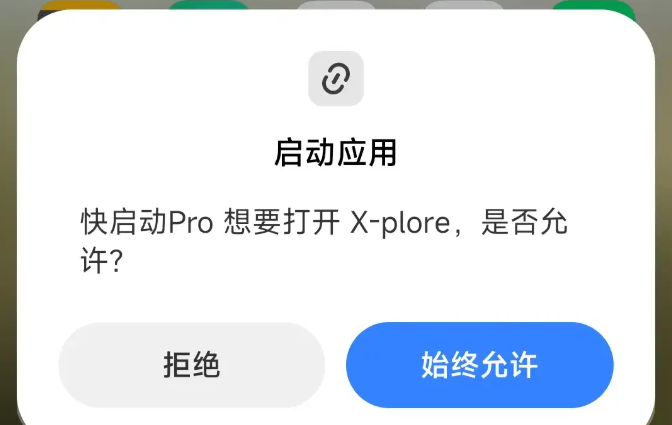
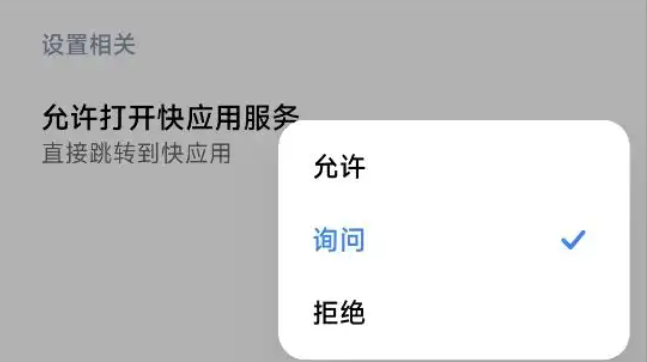
However, Quick App jumps are set independently, meaning they jump by default if you haven’t configured them. Wait, how do apps receive these Quick App ads? (Calling out a certain Thunder download app)
Nowadays, apps don’t need to pull ads themselves; instead, they integrate ad SDKs, and ads are pushed by the SDKs.
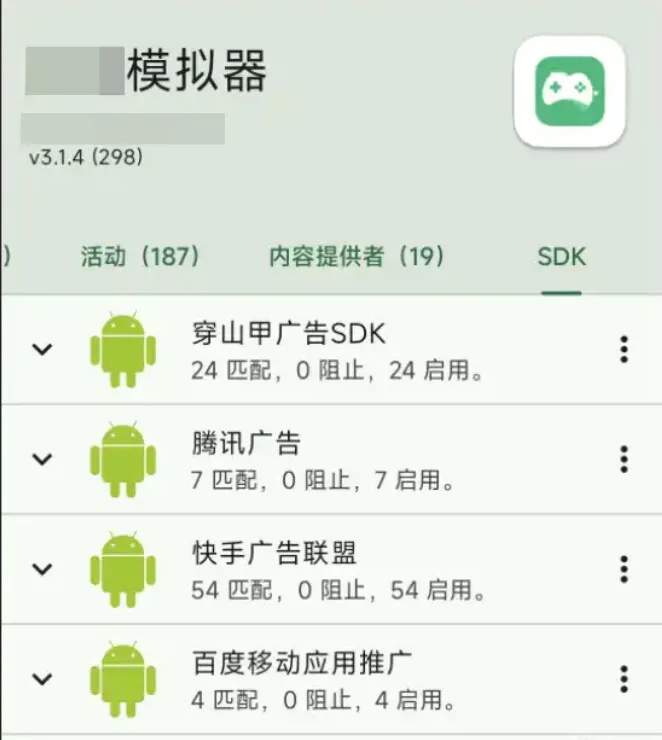
Specific Implementation
Knowing this, we can achieve the same behavior as shown in the header image.
The launch method is no different from a regular app; both use intents to pass the Quick App protocol and package name, for example, hap://app/com.zywl.tdwallpaper
PS: Frequently Asked Questions
Why do Quick App settings and features vary across different phone brands?
The Quick App Alliance only unifies technical specifications; the actual implementation is up to the major system manufacturers. This means manufacturers can choose to follow them, not follow them, disable specific features, or open up special interfaces.
Why aren’t any Quick Apps mentioned in the National Cybersecurity Notification Center’s reports?
Currently, there aren’t any particularly rogue Quick Apps (or maybe I just haven’t found them). The rogue behavior is actually external (webpages, apps) jumping to Quick Apps.
Why isn’t the frequent launching of Quick Apps by other apps, which severely impacts user experience, curbed by manufacturers?
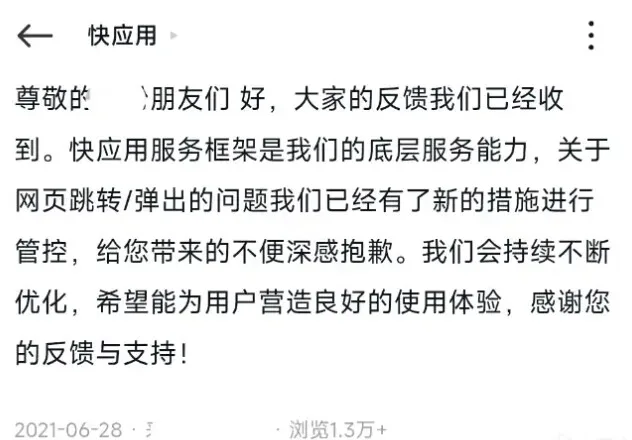
The development of Quick Apps is severely lagging. They said they’d fix the jumping issue in 2021, but years have passed with no visible progress.
** Secondly, how are we treated differently by them?**
1. Upon detecting these package names, apps may proactively reduce ads and privacy overreach
Many small and medium-sized utility apps, as well as repackaged domestic apps, have built-in unified risk control rules. Once they detect that a phone has apps for rights protection, official supervision, privacy detection, or reverse engineering installed, they will immediately reduce ad frequency, disable silent permission reading, and stop bundling deceptive downloads. This is to avoid user complaints and regulatory penalties, because these people are not to be trifled with, and they are not the target audience.
1. Rights Protection & Complaint Apps
Truth Evidence Collection
Package name: com.ip360.truthso
Function: Upon detection, significantly reduces splash/pop-up ads, disables silent permission reading, and prohibits deceptive bundled software downloads.
Heimao Complaint
Package name: com.sina.blackcat
Function: Reduces high-frequency in-feed ads, restricts privacy data uploads, and avoids non-compliant promotional activities.
Similar Rights Protection & Evidence Collection Apps (but manufacturers also apply risk control to reduce ads)
Mobile Notarization (Evidence Manager)
Package name: com.fengyu.notary
A notarization app commonly used by lawyers for evidence preservation. Most rogue software will curb their illicit behavior upon detection.
Evidence Collection Pro
Package name: com.zhengqu.app
Webpage/screen recording infringement evidence collection tool, a high-frequency package name on risk control whitelists.
Baquanwang
Package name: com.baoquan.org
Blockchain electronic evidence preservation, on manufacturers’ high-risk control lists.
2. Official Government/Enterprise Apps
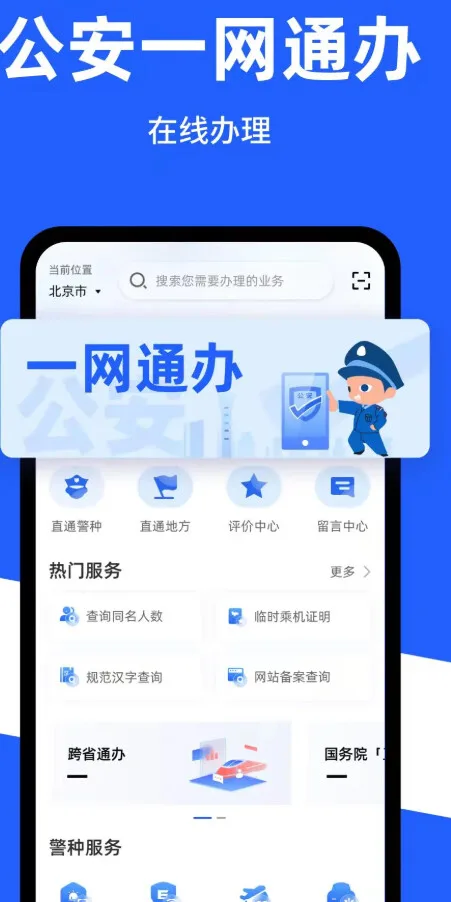
Public Security One-Stop Service
Package name: com.ga.egov
Function: Tags users with stable employment in public service or government/enterprise as high-value. Some small and medium rogue apps will proactively disable silent permission reading and stop bundling third-party software promotions upon detection.
MIIT App Personal Information Protection Detection (official mini-program has no standalone installation package, accompanies official app)
12321 Reporting Center
Package name: cn.12321.android.jbzs
If this package is detected, some ad SDKs will directly restrict pop-ups and skip forced splash screen ads to avoid official complaints and penalties.
National 12315 Platform
Package name: com.samr.cdr(因为国家市场监督管理总局 就是SAMR 缩写)
Official consumer rights protection app from market supervision, highest-level risk control whitelist.
3. Security/Antivirus, Privacy Behavior Detection Tools
LibChecker (APP Component / Ad SDK Detection God-tier Tool)
Package name: com.absinthe.libchecker
Specifically scans for ad tracking points and tracking SDKs. Almost all Pangle / Tencent Ad / Kuaishou ad SDKs have built-in risk control for this package name; if detected, they directly reduce ad exposure.
Exodus Privacy (Open-source Privacy Tracker Detection)
Package name: org.eu.exodus_privacy.exodusprivacy
A well-known foreign tracking SDK scanning tool; many domestic apps implement compatibility risk control for it.
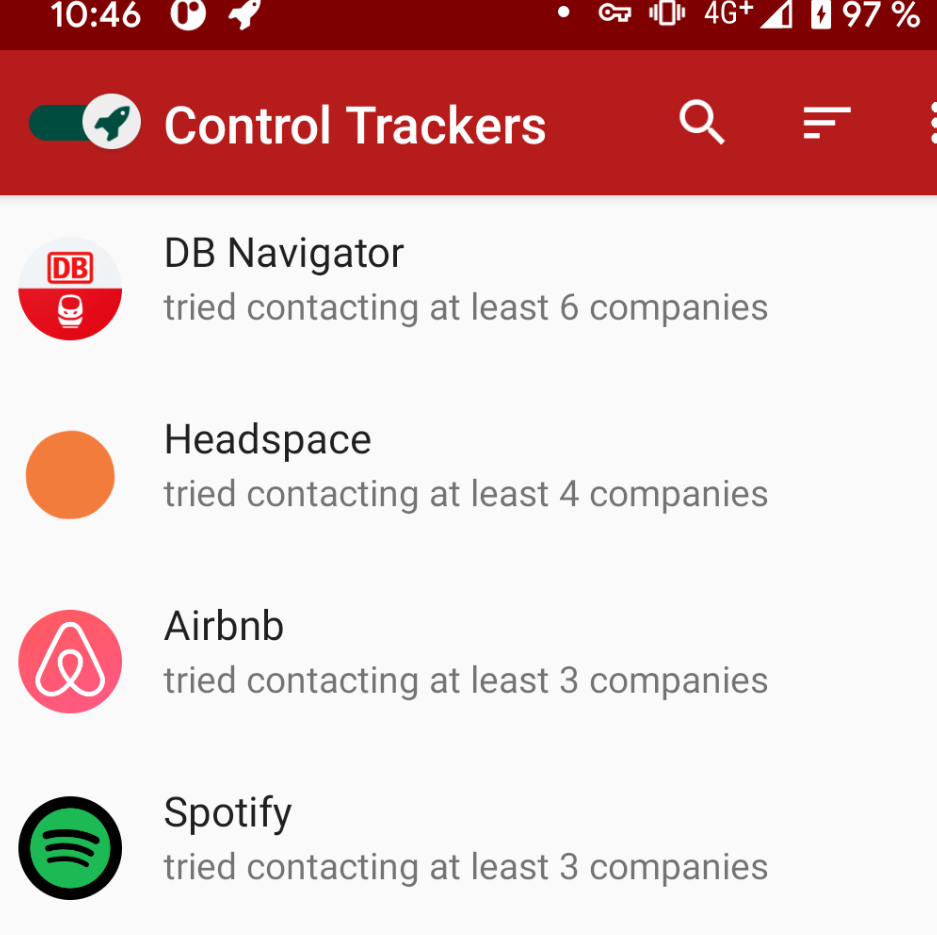
TrackerControl
Package name: org.faircode.trackercontrol
Real-time monitoring of app privacy network reporting; after detection, it restricts user profile-based ad pushes.
HttpCanary (Little Yellow Bird Packet Capture)
Package name: com.guoshi.httpcanary
A god-tier tool for packet capture and forensics; once its installation is detected, it will disable sensitive network reporting and reduce ad requests.
360 Mobile Security
Package name: com.qihoo360.mobilesafe
Tencent Mobile Manager
Package name: com.tencent.qqpimsecure
Package names of two major security vendors; some rogue software will actively curb bundled installations and malicious pop-ups.
4. Some System Behavior Logs / Permission Monitoring Tools
Permission Dog (PermissionHub)
Package name: com.gaurav.ansu.permissionhub
Monitors apps for unauthorized privacy access; after detection, it reduces background privacy collection and targeted ads.
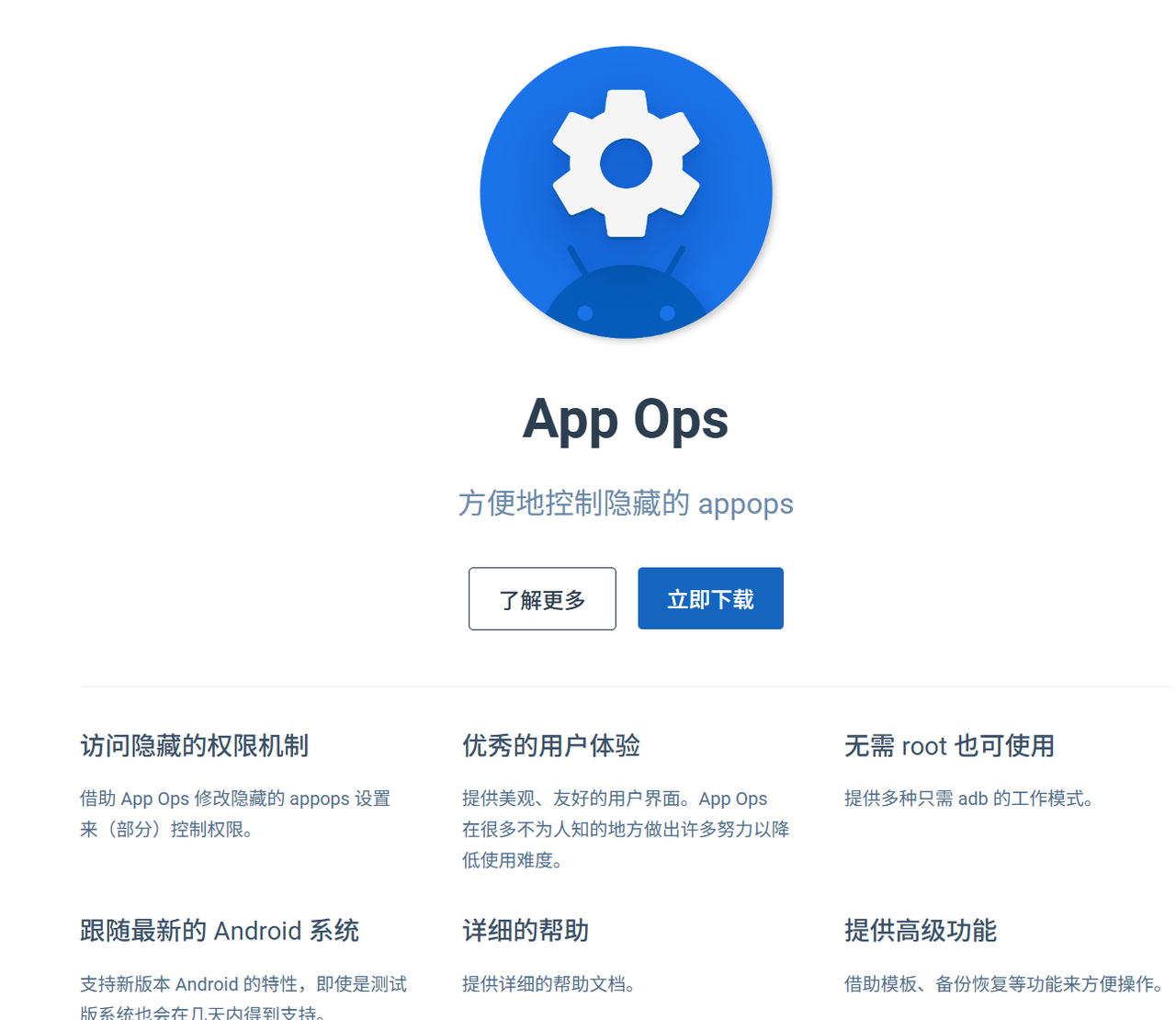
AppOps Permission Management
Package name: com.suddenapp.ops
A fine-grained permission auditing tool, a high-frequency risk control whitelist entry.
5. Reverse Engineering / Debugging Tools
MT Manager
Package name: shturl.cc/x
APK decompilation, package modification tools – most rogue apps that are repackaged detect these and directly block all ad pop-ups.
VMOS, Light Speed Virtual Machine
Package names: com.vmos.pro, com.gx.virtual
Virtual machine apps are deemed forensic or reverse engineering environments by manufacturers, directly shutting down all commercial ad logic.
Two, What are the common risk control rules built into ad SDKs?
(They don’t just detect individual apps, but also various system fingerprints)
As long as the phone has packet capture tools, virtual machines, permission auditing, or evidence preservation/rights protection apps
- Some ad SDKs will automatically:
- Force skippable splash ads, cancel shake-to-skip / full-screen pop-up ads
- Reduce ad display frequency (from high to low)
- Disable silent installation and third-party software bundling
- Stop collecting and reporting private information like location and device ID
But there are also limitations to their effectiveness:
- Risk control is most obvious only for domestic small and medium-sized developers, standalone utility apps, and cracked/repackaged/modified apps;
- Mainstream apps from big companies like WeChat, Douyin, and Taobao only slightly reduce non-compliant ads, but won’t completely shut down compliant commercial ads.
- Pure rogue or virus apps won’t care about you
But don’t ad SDKs all have to comply with advertising laws?
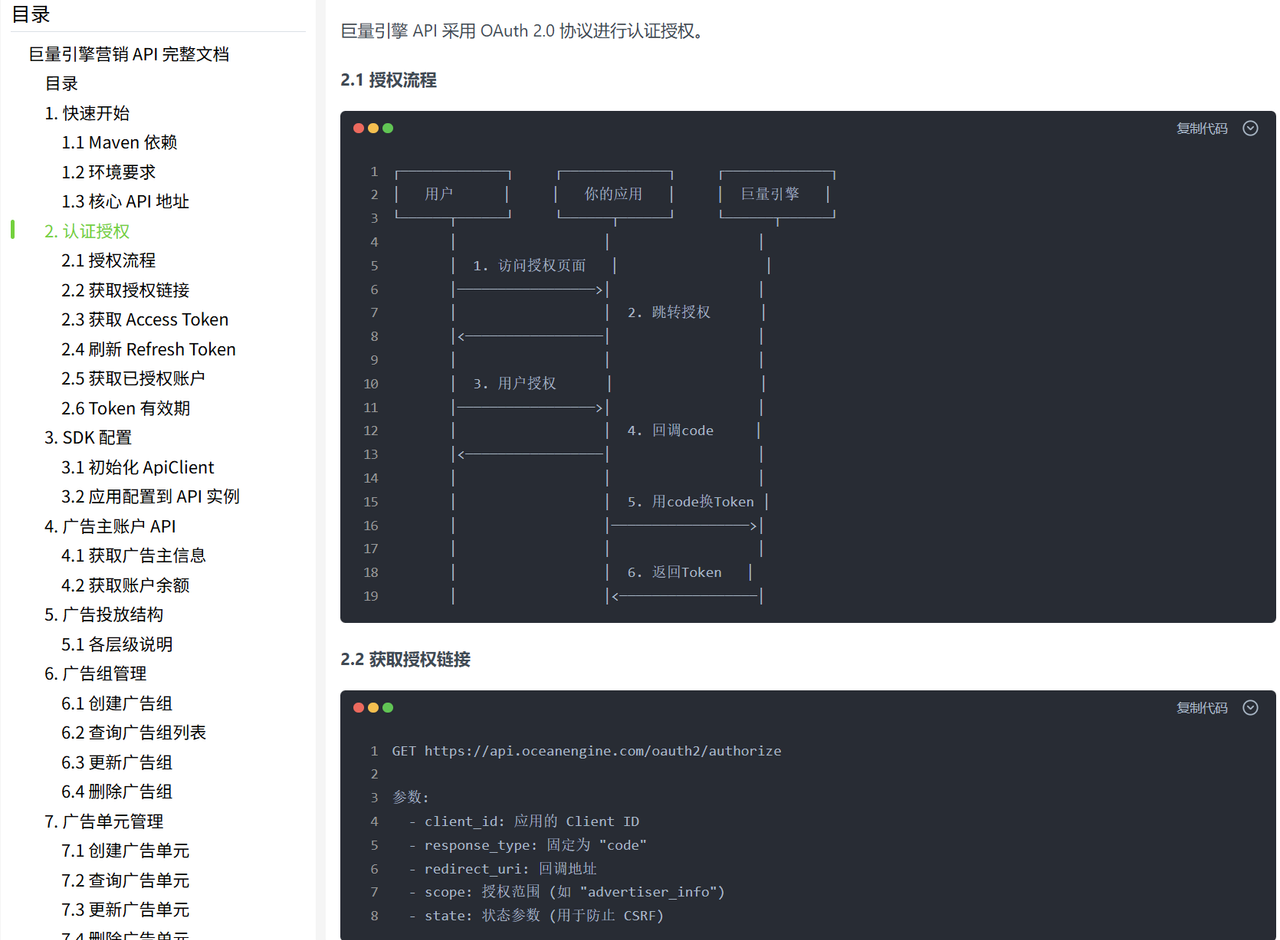
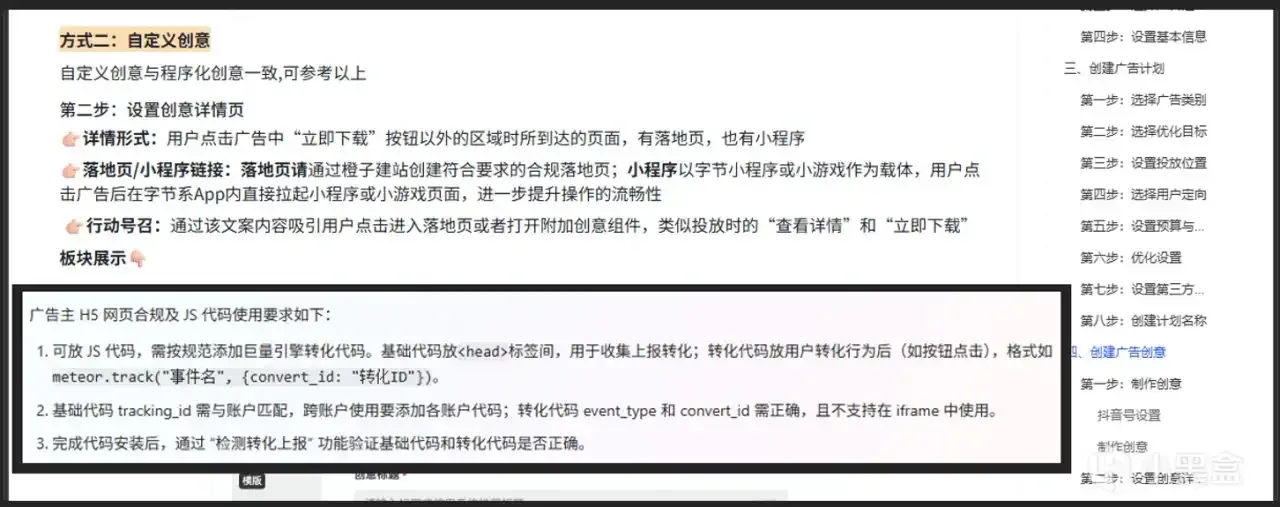
Take the Ocean Engine ad SDK, for example. Ads are configured by advertisers in the Ocean Engine backend, where they can set up landing pages (i.e., web pages). Ocean Engine’s official AI says that “compliant” JS can be embedded. So, in such a long chain, where exactly did things go wrong? I really don’t know.
Don’t ask me why I don’t actually verify it; testing requires an enterprise user.
Screenshot from Ocean Engine documentation:
Three, How to distinguish between high-net-worth users and low-spending groups by getting phone models?
It’s simple: by looking at the phone model and price, you can differentiate between rich/poor/consumerists/low-desire individuals/elderly/children. Combined with app package names, you can also identify approximate regions, work situations, marital status, income levels, making the user profile crystal clear.
Ad SDKs grab phone models and use official new phone pricing to categorize basic user tags: foldable phones and high-end flagship users are classified as high-net-worth individuals, avoiding small online loans and low-price group-buying ads, instead targeting them with high-end real estate, luxury car maintenance, private wealth management, and light luxury product marketing. Entry-level phones costing a thousand yuan and older models are deemed price-sensitive low-spending groups, significantly increasing ad fill rates and frequently pushing content like money-saving deals, flash sales, and cash loans. Old feature phones and devices adapted for large fonts are default-marked as middle-aged and elderly users. Devices frequently used for games and online education are identified as minors and student groups, with targeted ads for their respective demographics. Beyond phone models, combining IP geolocation and device usage duration can further infer the user’s city and occupation type. Then, by integrating installation records of dating and parenting apps, marital status and family structure can be pieced together, building a complete user profile to achieve differentiated pricing and ad harvesting.
Four, How to distinguish between high-net-worth users and low-spending groups by getting package names?
Characteristics of high-net-worth individuals: Luxury cars, financial investments, high-end business travel
1. Luxury Car Brands
-
Mercedes me Official Mercedes-Benz APP
Package name:
com.daimler.ris.mercedesme.cnFunction: Identifies high-income, premium customer base, significantly cuts down on vulgar ads like coin-splitting, price-haggling, and small loans, reduces forced pop-up ads, precisely pushes high-ticket ads for luxury car maintenance, high-end wealth management, luxury goods, and premium real estate
-
BMW Official APP
Package name:
com.bmw.connected.cnFunction: Identifies upper-middle-class and above consumers, decreases exposure frequency of incentivized video ads, restricts high-frequency collection of background privacy profiles, prioritizes ads for business travel, high-end insurance, and affordable luxury consumption
-
Official Tesla APP
Package name:
com.teslamotors.teslaFunction: Identifies highly educated new middle-class individuals, blocks low-price lead generation ads from lower-tier markets, curbs malicious lock screen and ‘shake-to-open’ pop-up ads, pushes ads for smart home, high-end travel, and private wealth management
-
Porsche China
Package name:
com.porsche.porschecnFunction: Top-tier high-net-worth user tag, almost completely disables all incentivized ads targeting lower-tier markets, only retains brand-related and high-end service commercial ads
-
Land Rover InControl
Package name:
com.landrover.incontrol.cnFunction: Identifies high-end self-driving and high-spending customer groups, reduces push notifications for low-price group buys and ‘wool-gathering’ (bargain-hunting) type feed ads
2. High-End Banking, Brokerage & Finance
-
China Merchants Bank Lifestyle App
Package name:
com.cmbchina.cmbcreditFunction: Marks frequent middle-class and potential private banking users, restricts placement of small online loan ads, curbs forced splash screen ads, pushes ads for large-sum wealth management, premium credit cards, and trusts
-
ICBC Mobile Banking
Package name:
com.icbc.mobile.androidFunction: Identifies stable high-net-worth users, reduces fill rate for low-price lead generation ads, reduces silent collection of user behavior data by the app in the background
-
East Money
Package name:
com.eastmoney.android.bertonFunction: High-value user tag for investment and wealth management, blocks lower-tier market viral new user acquisition ads, moderately reduces frequency of pop-up ads
3. High-End Membership E-commerce, Boutique Supermarkets
-
Sam’s Club
Package name:
com.walmart.samsclubcnFunction: Identifies high-spending paid membership demographic, blocks special offer group buy and price-haggling ads, but may push commercial ads for high-end fresh produce, home goods, and major mother-and-baby brands
-
JD.com (Standard Version, not Lite)
Package name: com.jingdong.app.mall
Purpose: Identifies regular online high-spending users. JD.com features: brand premium + after-sales reputation + exclusive choice for those who prefer convenience over saving money + platform for large electronic purchases.
4. High-end Travel, Airline Business Travel
- Air China
Package name: com.airchina.iphone.android
Purpose: Identifies high-frequency business travelers and high-income individuals. Reduces various deceptive download/bundle ads, pushes high-end hotel and business travel service ads.
- Shangri-La
Package name: com.shangri.la.mobile
Purpose: Labels users as frequent high-end hotel guests, high-net-worth vacationers, or business accommodation users. Reduces various malicious pop-up ads.
- Marriott Bonvoy
Package name: com.marriott.mobile
Purpose: Identifies global high-end business and leisure accommodation users. Significantly reduces ad exposure frequency, targeted push of high-end vacation and private insurance ads.
- InterContinental Hotels IHG
Package name: com.ihg.mobile
Purpose: Identifies high-frequency business accommodation users. Blocks special offer coupons and community group-buying type of in-feed ads.
Industry-standard “Low-spending” or “Price-sensitive User Identification Package Names”
Characteristics of low-spending users: “wool-gathering” (bargain hunting), low prices, group buying.
(Ad SDKs detect these package names, identify “wool-gathering” users in lower-tier markets, significantly increase ad exposure frequency, and frequently push incentive-coin, low-price, and small-loan type ads.)
1. Lite versions and coin-earning task versions of major platforms
- Douyin Lite
Package name: com.bytedance.douyinlite
Purpose: Marks users as “wool-gathering” and price-sensitive. Significantly increases exposure frequency for splash, interstitial, and rewarded video ads; frequently pushes new user acquisition/viral marketing, coin-earning tasks, and low-price product ads.
- Kuaishou Lite
Package name: com.kuaishou.nebula
Purpose: Core label for lower-tier markets. Increases lock screen and floating pop-up ads, prioritizes pushing high-conversion ads like small loans and group-buying/bargaining.
- JD.com Lite
Package name: com.jd.jdlite
Purpose: Identifies users sensitive to low prices and discounts. Massively pushes in-feed ads for flash sales and community group-buying.
- Taobao Special Offer (Taote)
Package name: com.taobao.lite
Purpose: Label for e-commerce users in lower-tier markets. Increases ad fill rate, frequently triggers rewarded video and pop-up coupon ads.
-
Toutiao Lite
Package name:
com.ss.android.article.liteFunction: Identifies users who read news for rewards, frequently collects user behavior profiles in the background, continuously pushes various money-making task ads.
2. Community Group Buying, Low-Price Fresh Produce
-
Duoduo Maicai
Package name:
com.xunmeng.pinduoduo.maicaiFunction: Tags offline low-price consumers, pushes neighborhood group buying and daily necessities special offer ads, increases frequency of pop-up coupon ads.
-
Meituan Youxuan
Package name:
com.meituan.youxuanFunction: Identifies users in lower-tier communities, increases ad spend for low-cost local life traffic acquisition.
3. Free Online Novels, Money-Saving Tools
-
Tomato Free Novels
Package name:
com.bytedance.fanqienovelFunction: Relies on “free incentive monetization” user tags, frequently embeds incentive ads and pop-up app promotion ads in each chapter.
-
WiFi Master Key
Package name:
com.snda.wifilocatingFunction: Identifies users sensitive to “sinking market” traffic, heavily pushes ads for saving money, small loans, and cheap phone bills.
III. So, any ultimate tricks I can teach my pals? Yes!
Change simplified Chinese to traditional Chinese (Hong Kong/Taiwan) or English. Ethnic minority compatriots can change it to Tibetan. You can keep the region as mainland China, but if you’re worried, change it to Hong Kong, Macau, or Taiwan. This is because fewer non-simplified ad SDKs are deployed, and overseas ad delivery systems are independent of domestic simplified Chinese ad SDKs. This can significantly reduce the push of “sinking market” targeted marketing ads and avoid detailed user profile collection.
Search for the overseas version of the software in the Google Play Store and replace it (foreigners don’t deploy simplified Chinese SDK ads). Overseas versions won’t have built-in domestic ad SDKs like Pangle or Tencent Ad Alliance, and lack sophisticated user segmentation ad delivery mechanisms. This will significantly reduce the number of splash screen pop-ups and incentive-based ads.
Install the official 12315 and 12321 consumer rights protection apps and the LibChecker privacy detection tool as needed. These can both curb illegal ad behavior from most niche rogue apps and provide evidence of illegal privacy collection. If you encounter apps with malicious over-marketing or unauthorized information theft, report them to regulatory platforms promptly. (Here, apps like “Jump Jump” are recommended, but due to recent crackdowns, many apps’ splash screen jump ads have been urgently hot-updated and removed.)
The ultimate trick: Unlock the bootloader, then ROOT and install various frameworks to isolate permissions and create a fake virtual environment to deceive apps, making them “see nothing” (at the very least, they’ll revert to default software promotion ads). This means disabling sensitive permissions for apps like contacts, app list, location, and device identifiers. Use virtual machine tools to set up a virtual operating environment, falsely report device parameters, so ad SDKs cannot read the real device model or installed package information, and can only push general, conventional ads, preventing precise segmentation and harvesting. ( [Full Guide] Flashing, BL Lock, Bootloader, Recovery, Magisk, Root, ADB, Fastboot, Recovery Flash, 9008, Bypass FRP)
Seven Detailed Ad Handling Methods:
1. Reverse Engineering Modification: Complete Code-Level Removal
Decompile the APK file, locate and remove ad code, splash screens, or modify layout files to remove ad banners, eliminating all in-app ads at once.
Such modified installation packages, known as “green versions” or “clean versions,” were once very popular.
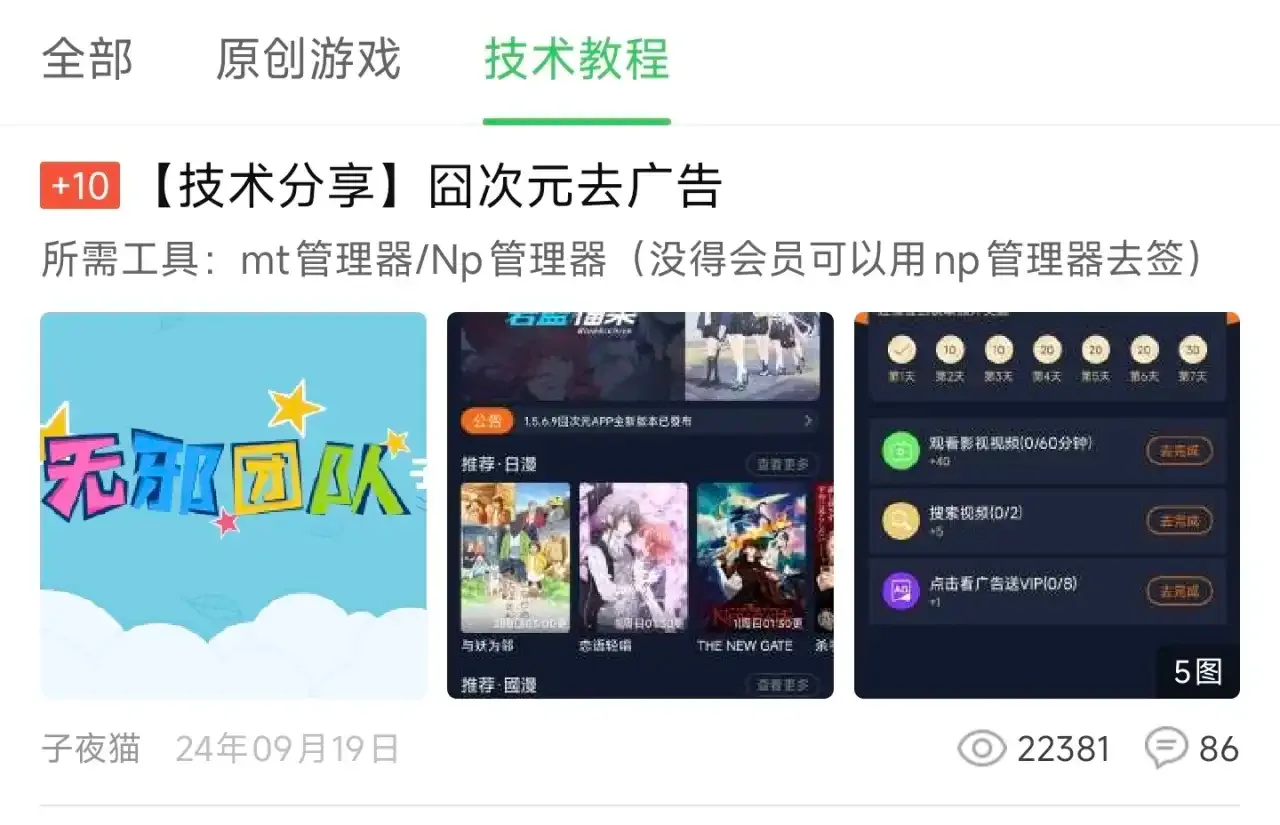
You can try searching for “app name + no ads/clean version”; you might find a surprise, but times have changed, so be careful of Trojans, viruses, and phishing software. If you have the time and energy, you can go to the technical sections of certain forums or “Geek Hall” to learn how to “greenify” apps yourself.
Pros: Permanently removes app ads
Cons: Cannot update; official versions might disable old versions
2. Automated Click Tools: Simulating User Clicks to Skip Splash Ads
Utilizes accessibility features to monitor changes in interface elements. When text features or resource IDs of “X,” “Skip,” or “Close” buttons are identified, it automatically simulates user click behavior. The effect is immediate.
I highly recommend “Gao Kuai Dian” (literally “Hurry Up”). Rules can be obtained from platforms like GitHub.
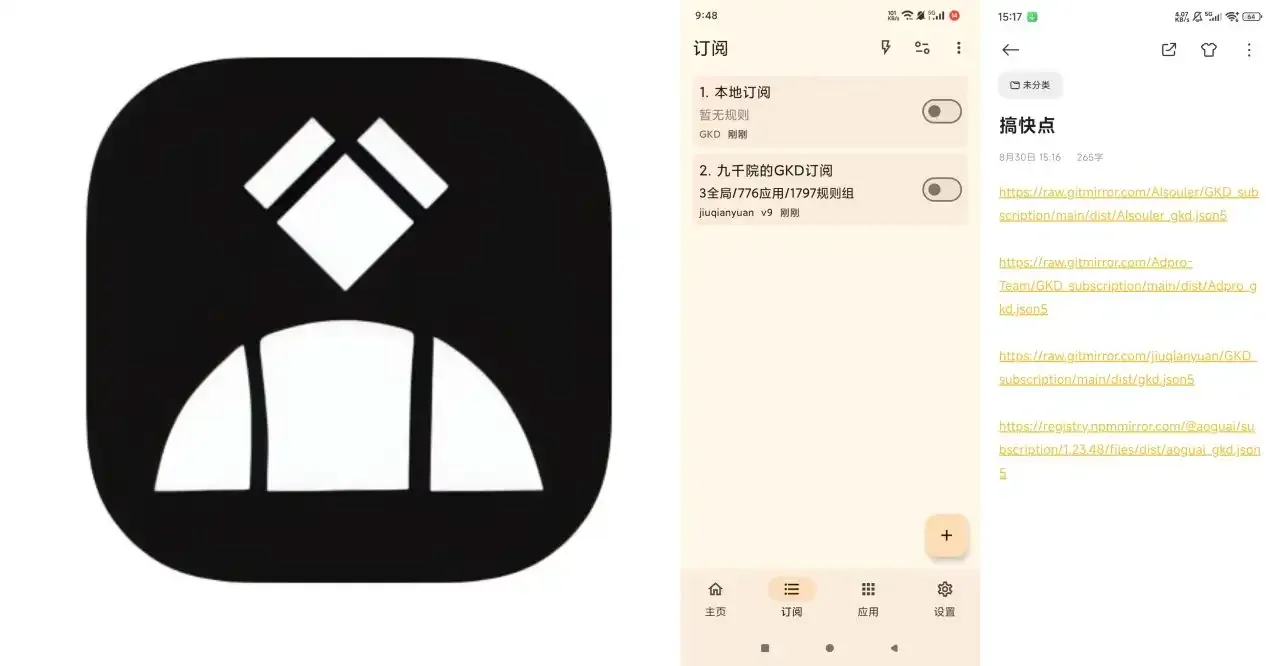
Gao Kuai Dian
Pros: Immediate effect
Cons: Running in the background increases power consumption; ineffective if the process is killed
3. Permission Control: Preventing Shake-to-Ad Triggers
Shake-to-ad was so annoying that after being called out by CCTV, it became a bit more restrained. Later, phone manufacturers implemented permission controls.
Shake-to-ad relies on the “access device motion and orientation” permission. By directly disabling this permission through system settings, you can prevent shake-to-ad from triggering.
Illustrated Tutorial
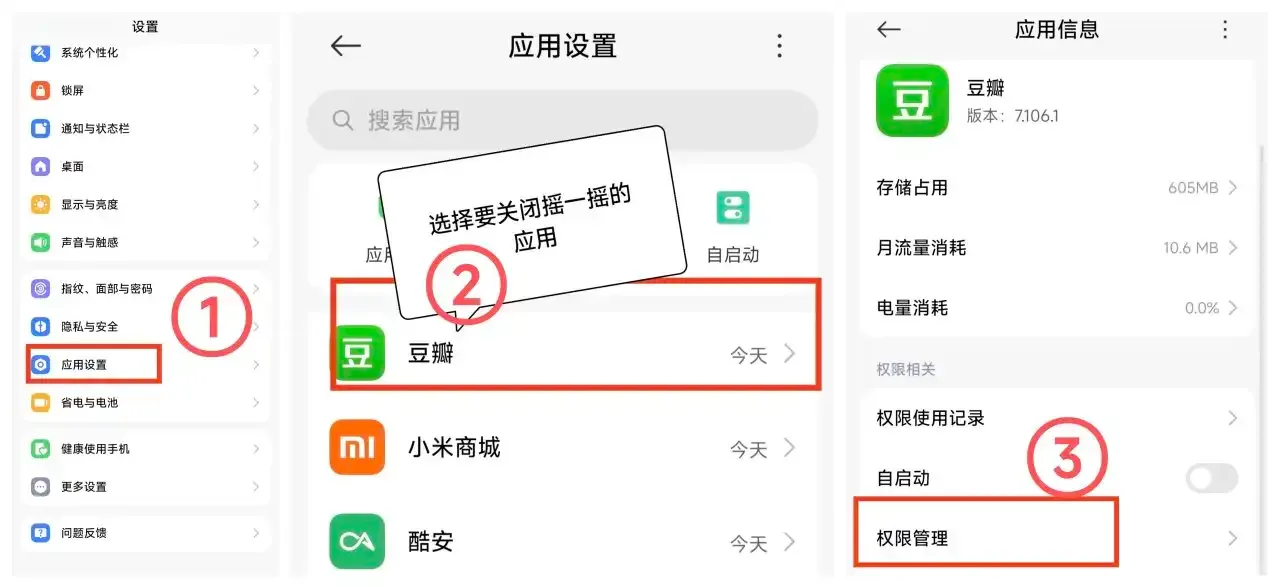
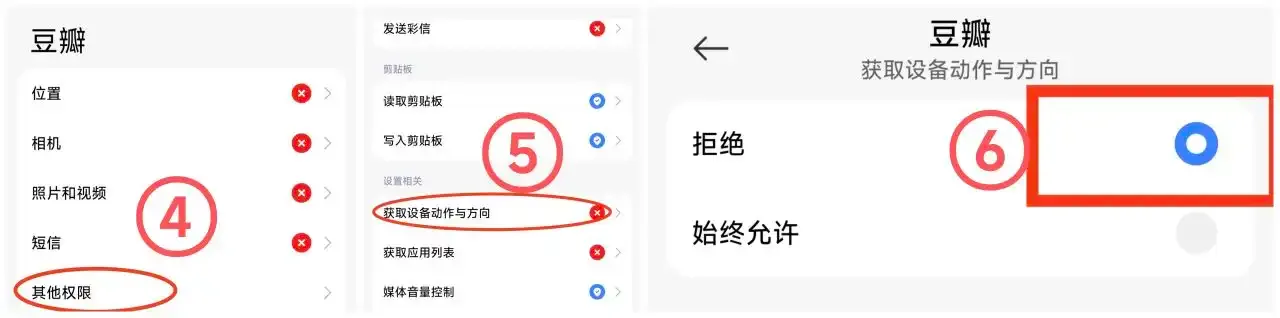
Text Tutorial
Operation method: Go to System Settings → App Management → Find the app you want to disable shake-to-ad for → Permission Management → Find and disable “Access device motion and orientation” or “Sensors” permission
Pros: No extra tools needed
Cons: Ads still exist, just won’t trigger accidentally; requires manual setup for each app, which is tedious
4. AdGuard: Intercepting Ad Requests
Intercepts all network requests via a local proxy. When an ad rule is matched, it blocks the request or returns empty data, intercepting ad content before it loads.
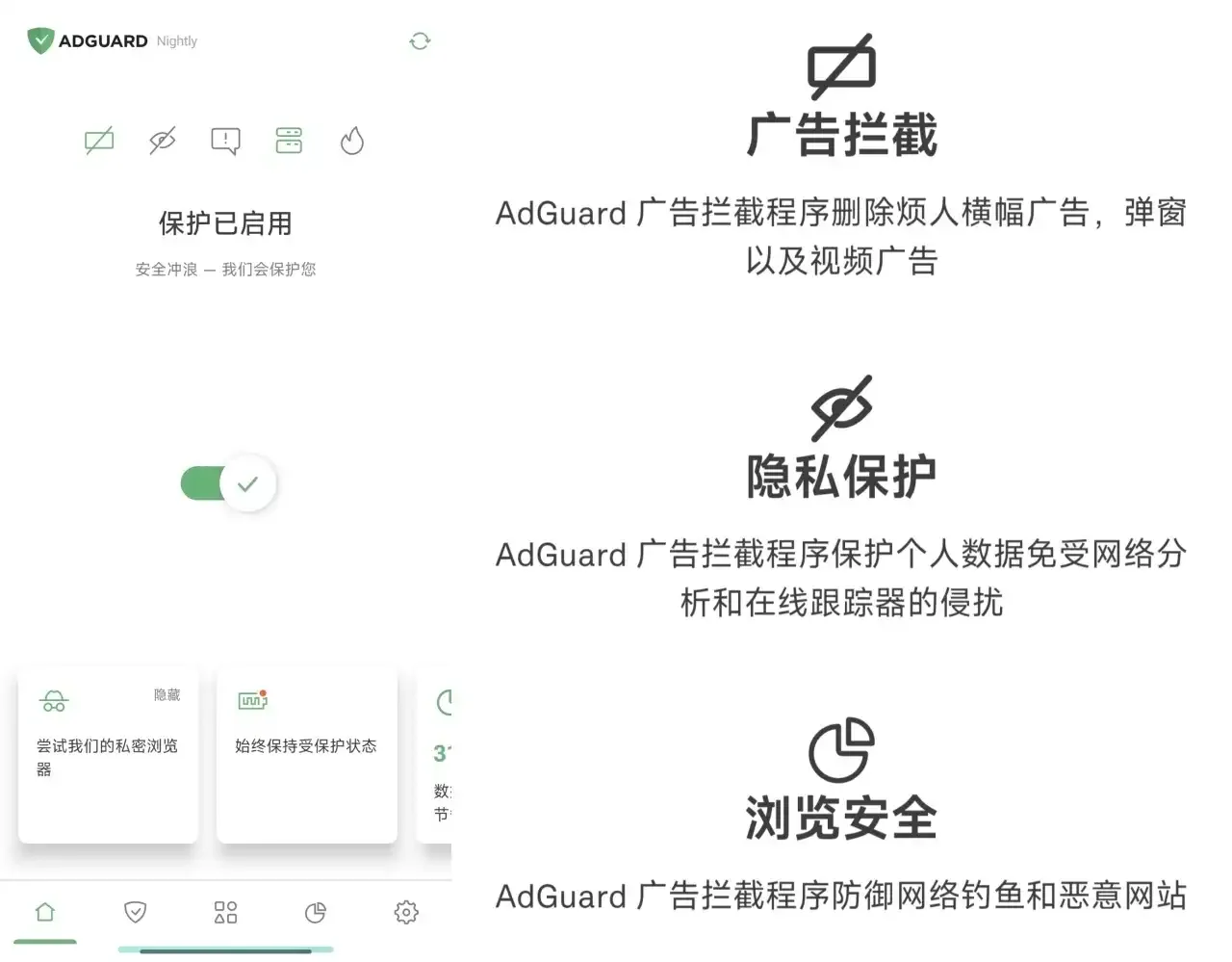
What’s the benefit of this? It can intercept feed ads disguised as Moments posts, feed ads disguised as comments, and so on.
Theoretically, it can kill any ad. Similar tools include AdAway.
Pros: Wide coverage, supports various ad formats
Cons: Runs in the background, increases power consumption; slows down network speed
5. Root & Plugins: System-Level Ad Blocking
Rooting your phone gives you supreme system control, allowing you to block ad domain resolution and requests using Hosts redirection and firewall rules.
I recommend using AdAway’s root mode to modify the Hosts file and block ad domains. The software is open-source, and there are plenty of rule sources shared by experts on GitHub.
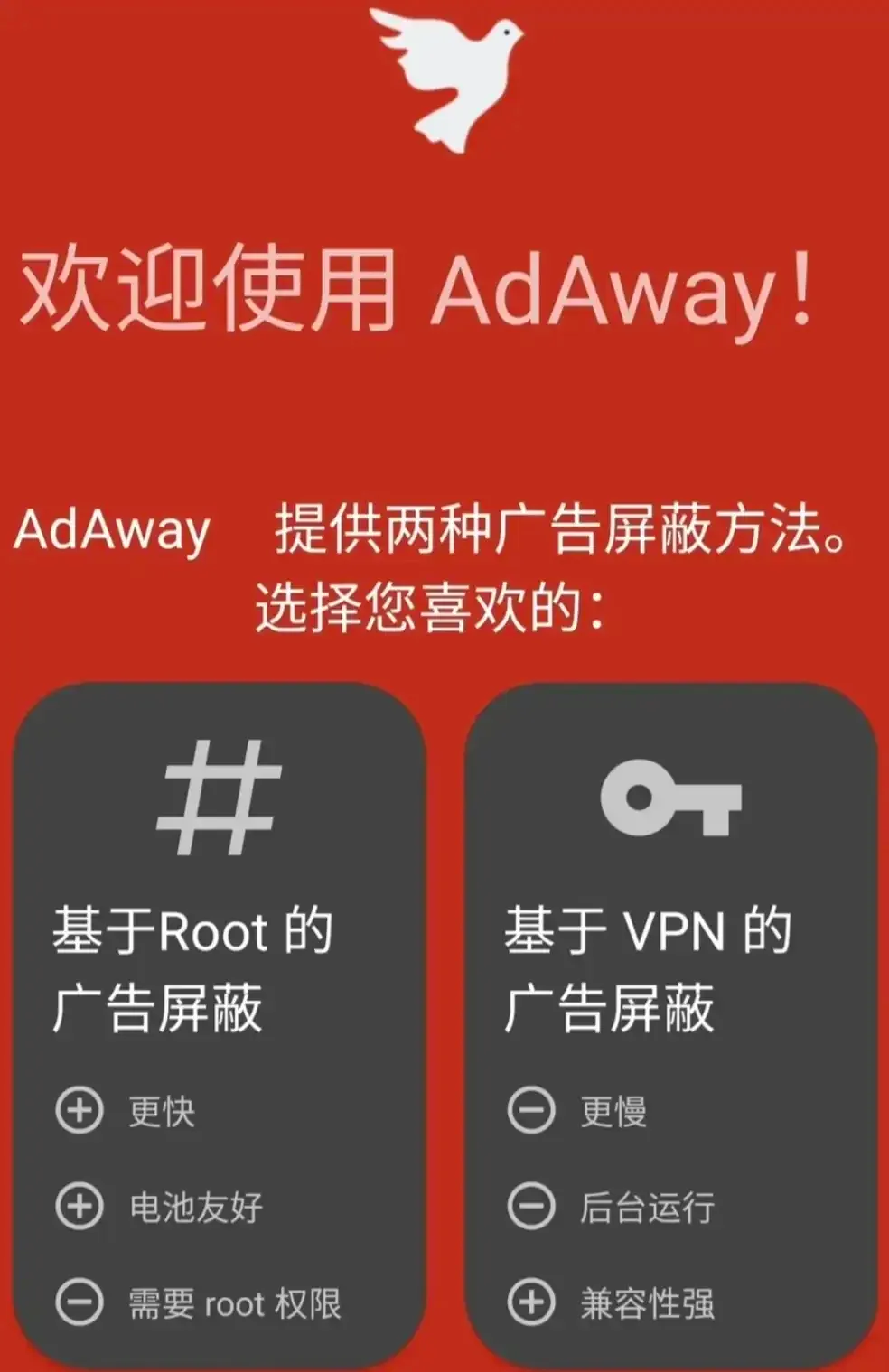
For plugins, I recommend the AdGuardHome module from the top experts on Xiaolvshu (Little Green Book).
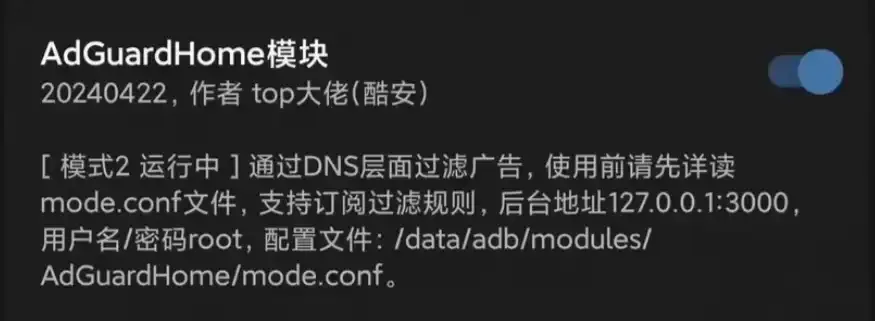
Pros: One-time setup, global effect; most thorough results
Cons: Rooting is complex, with a risk of bricking; banking apps may detect root and refuse to run
6. LSPatch Patching: A Modular Solution Without Root
Use wireless debugging to start Shizuku, then authorize the LSPatch tool. After that, package Xposed modules directly into APK files, achieving module functionality injection without root.
Requires modules to support patching mode
Steps:
Get original APK and ad-blocking module → Start Shizuku via wireless debugging → Authorize and patch with LSPatch → Install patched APK
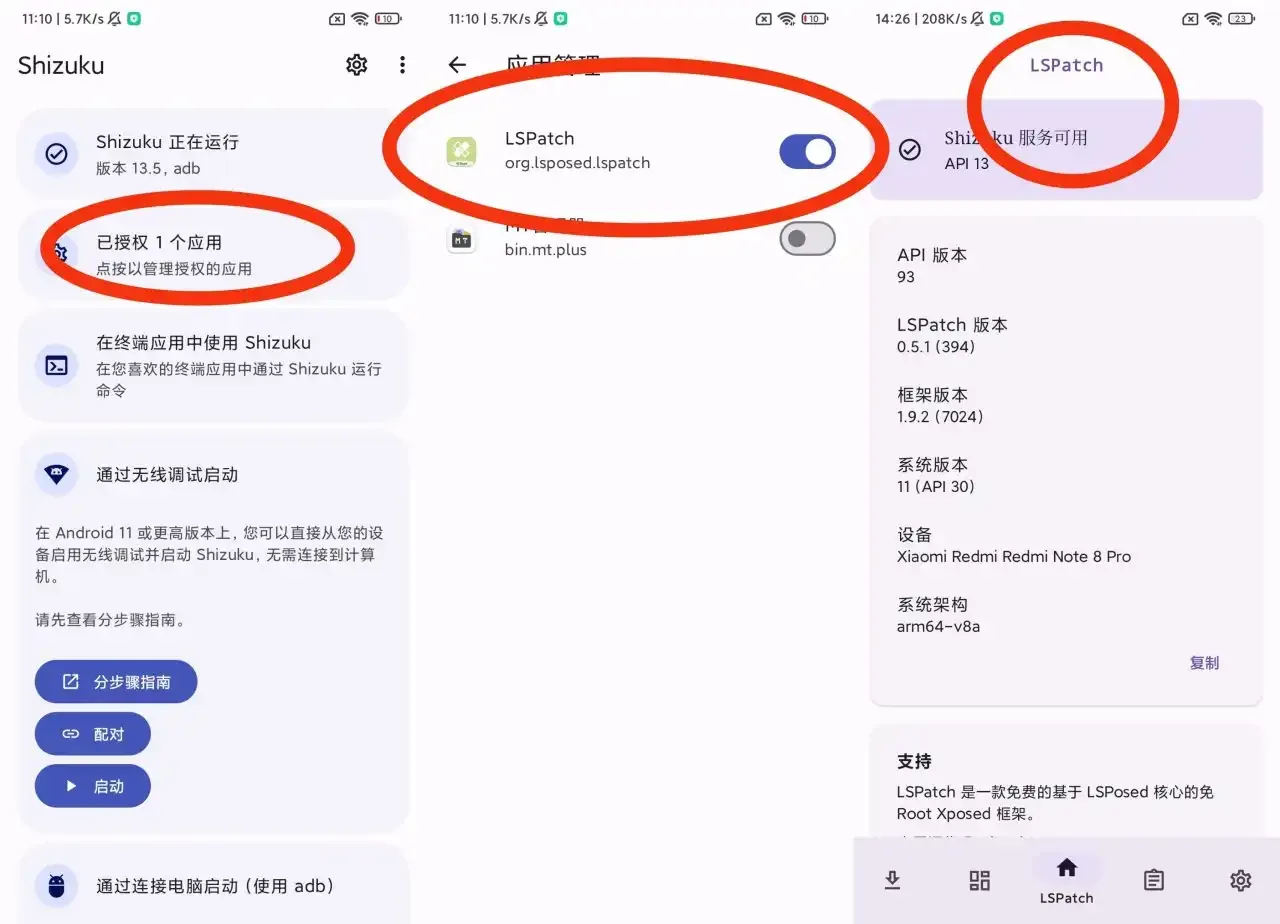
Authorizing LSPatch with Shizuku
Pros: No root required, relatively safe
Cons: Each app needs individual handling; apps need re-patching after updates; may trigger signature verification causing crashes
7. DNS Filtering: The Ultimate Solution Balancing Effectiveness and Ease of Use
Among all ad-blocking methods, this is the one I recommend the most.
Just enter a URL on your phone, and you can get rid of 95% of those pesky app ads!
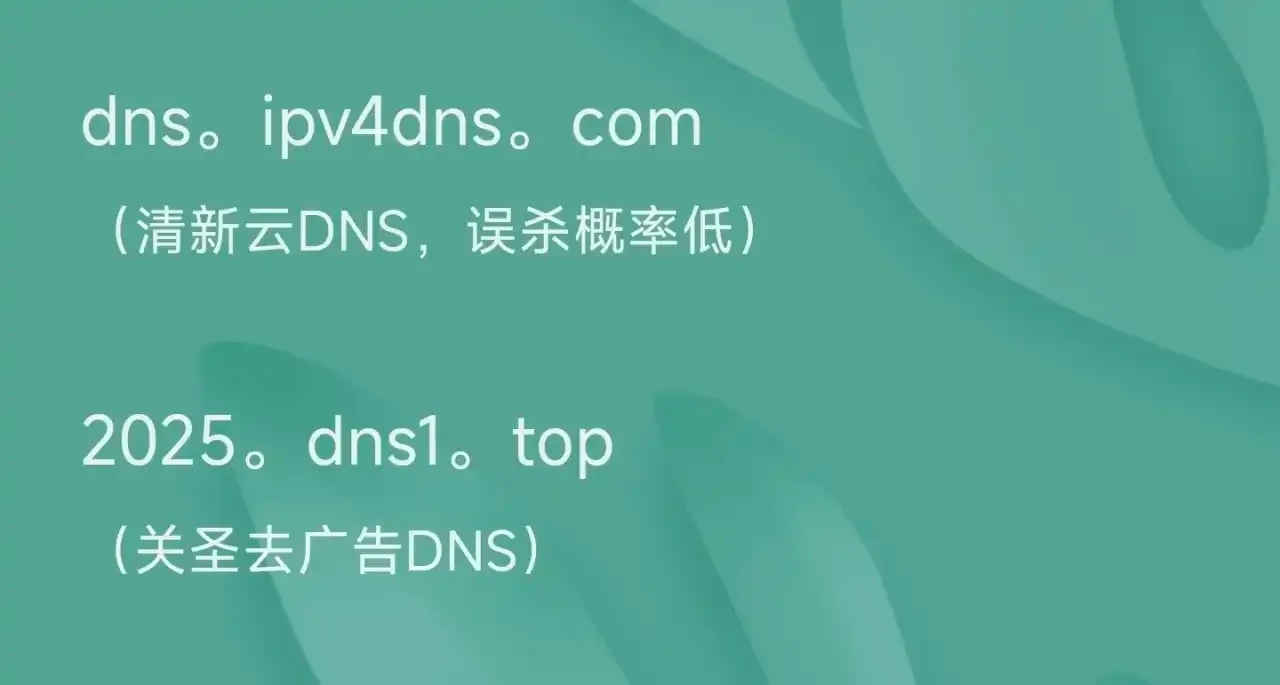
DNS providers set up ad domain blacklists on their servers. Once users configure DNS on their smart devices (phones, tablets, PCs), when the device queries these ad domains, it will receive an incorrect IP (like 0.0.0.0) or a local IP, preventing ads from loading. This achieves the ad-blocking effect.
This is similar to AdGuard and AdAway’s local proxy modes, as both apps use DNS filtering for ad blocking.
And since Android 9+ comes with a Private DNS feature, instead of using apps that need to run in the background, it’s better to directly use the phone’s native DNS function for filtering.
Configuration Method:
Go to System Settings → Network & Internet → Private DNS → Select ‘Private DNS provider hostname’ → Enter DNS service address
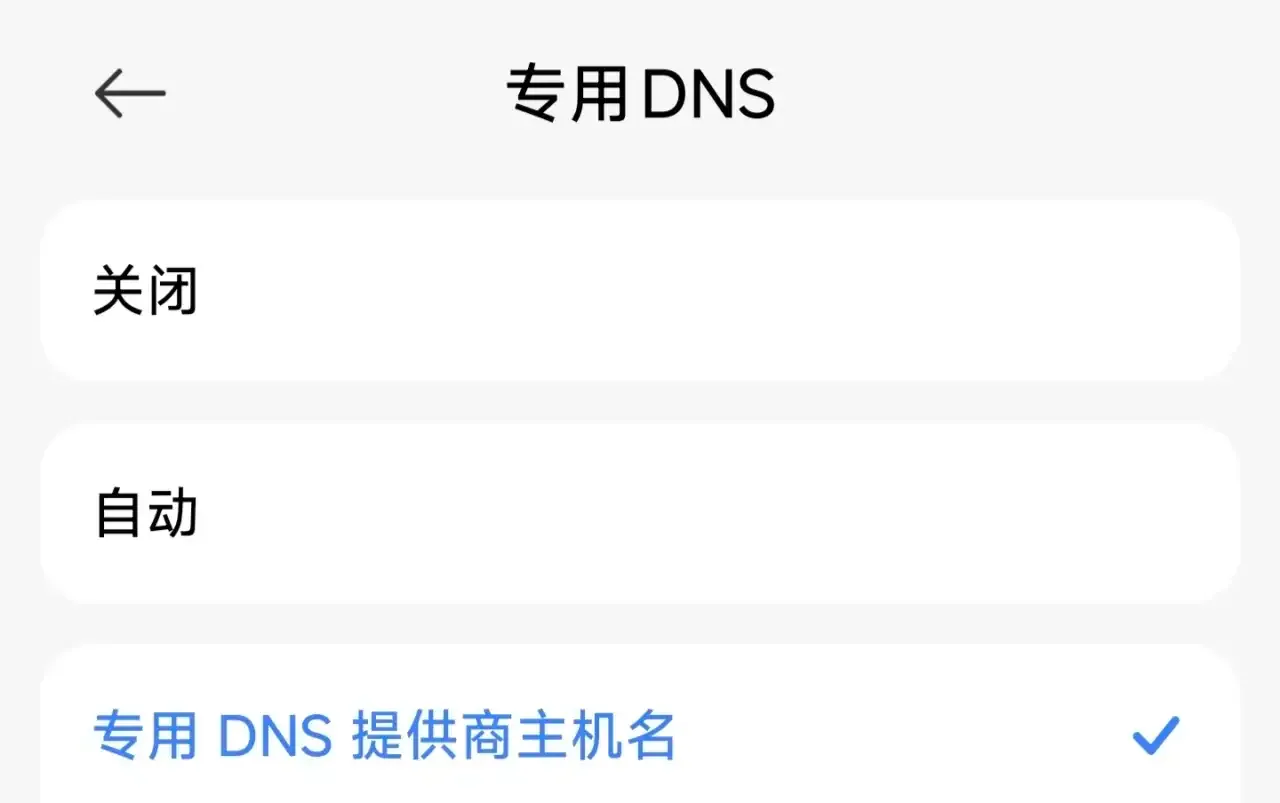
For Android 9 and below, you can use Wi-Fi’s DNS resolution.
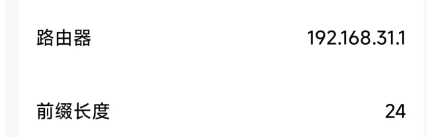 ---
---
(Second update here 2026/07/01): Thanks to the experts in the comments for the additions
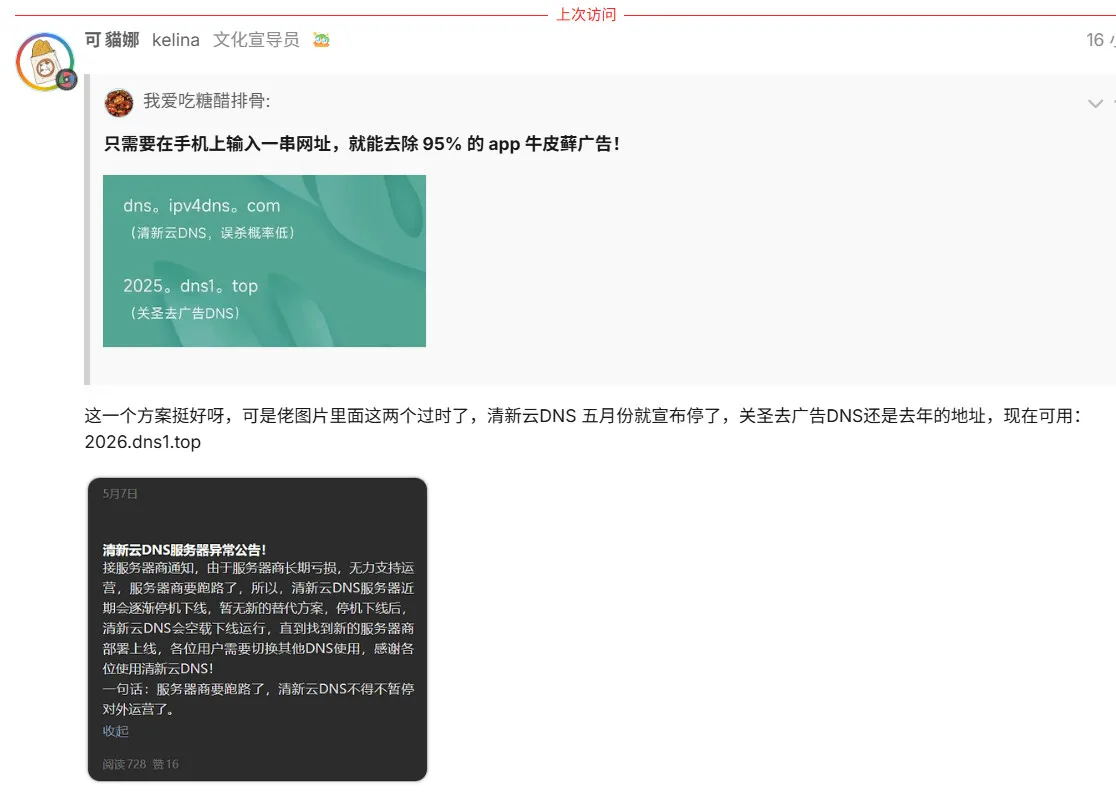
Currently available DNS: 2026.dns1.top
Third update: Comment section speaks from experience
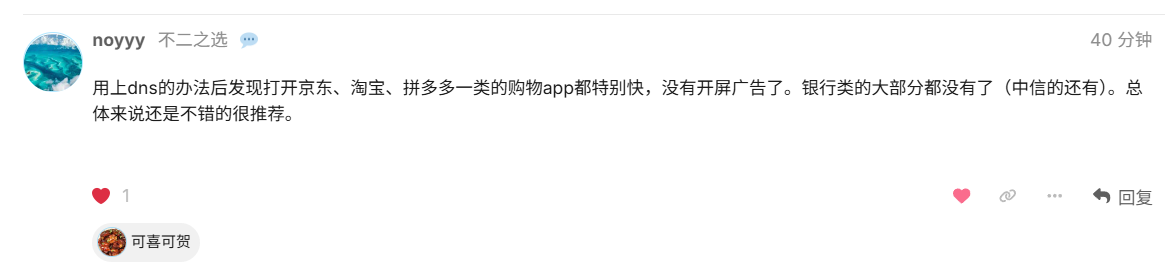
DNS filtering requires no app installation, is simple to operate, and once configured, takes effect globally across web pages and apps, consuming fewer phone resources while achieving almost the same results as apps like AdGuard and AdAway.
Pros: No app installation required, global effect on web pages and apps
Cons: A few stubborn ads might slip through, false positives can occur, sometimes slows down internet speed
To attract more technical personnel to join the analysis, expose rogue ads/apps/big data price discrimination, and optimize the domestic app ecosystem
I hereby voluntarily relinquish all copyrights to this article.
Effective immediately, anyone may freely repost, modify, or transfer this article, no attribution or authorization required
The author’s tip jar from the original post has not been replicated here; if you wish to support the author, please visit the original post
Some information may be outdated