How College Students Use Official AI Quotas, AnyRouter, SharedChat, and cc-switch to Manage AI Quotas
Jump to comments ↓This post is a text companion to the video, expanded with official student AI quota channels.
The video is here: BV12JLX6PE53
What Are These Things, Anyway?
Before configuring cc-switch, it helps to distinguish the available quota sources:
- Official Student & Free-Tier Quotas: Includes Zed Education (1-year Student plan with $10/month in AI Agent tokens and unlimited edit prediction), Alibaba Cloud Model Studio (eligible for the 300 RMB student voucher or new-user free tokens), Google AI Studio (official Gemini API free tier), and GitHub Copilot Student / GitHub Models from the GitHub Student Developer Pack.
- AnyRouter / AgentRouter: Routing services for AI API / Claude Code that give you a usable API endpoint and Key to plug into tools supporting Claude Code / Anthropic interfaces.
- SharedChat: An entry point leaning towards GPT / Codex public welfare quotas.
- cc-switch: An open-source desktop configuration management tool at farion1231/cc-switch that helps you switch provider configurations for Claude Code, Codex, and Gemini CLI.
Claiming Official Student Quotas
If you want a stable primary channel first, start with these four official options (for the full student benefits directory, see Official Student Benefits Guide):
- Zed Education ($10/Month AI Quota): Applying at Zed Education grants a one-year Student plan with $10 per month in Agent tokens and unlimited edit prediction (Claude Opus not included). Your GitHub account must be at least 30 days old and your school email domain must be listed in JetBrains/swot.
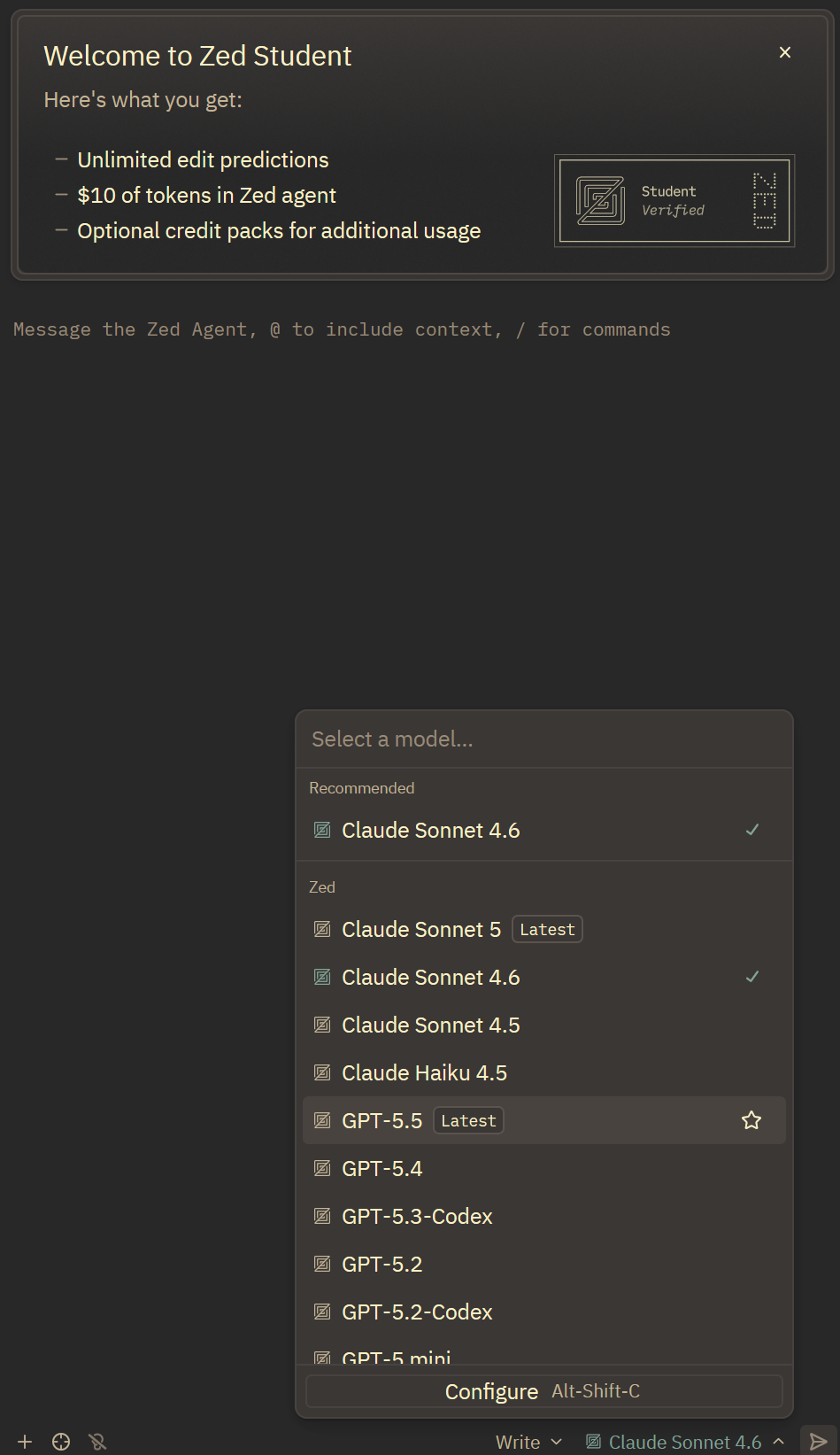
- Alibaba Cloud Model Studio Official API: Claim the 300 RMB student voucher via the Student Benefits Claim Link, then generate an API Key in the Model Studio console with Base URL
https://dashscope.aliyuncs.com/compatible-mode/v1. - Google AI Studio Official Free Tier: Sign in with a Google account to generate a Gemini API Key and call Gemini models within the daily free quota without a credit card.
- GitHub Student Pack: Verify your school email to activate GitHub Copilot Student.
Registering for AnyRouter
Official website: https://anyrouter.top/
The admin’s affiliate link; using this will get both of us $50: https://anyrouter.top/register?aff=NvOL
Follow the on-screen instructions during registration. The email verification code might not arrive instantly; wait a few minutes before clicking resend, or you’ll just annoy yourself.
TIPIf you encounter issues registering with an EDU email, you can directly refer to:
👉 What to do if your EDU email can’t register
AgentRouter is also worth a look
Another entry point you can check out is AgentRouter: https://agentrouter.org/register?aff=a572
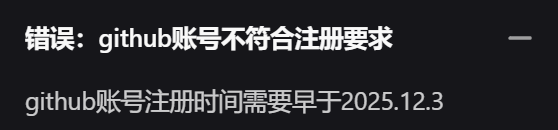
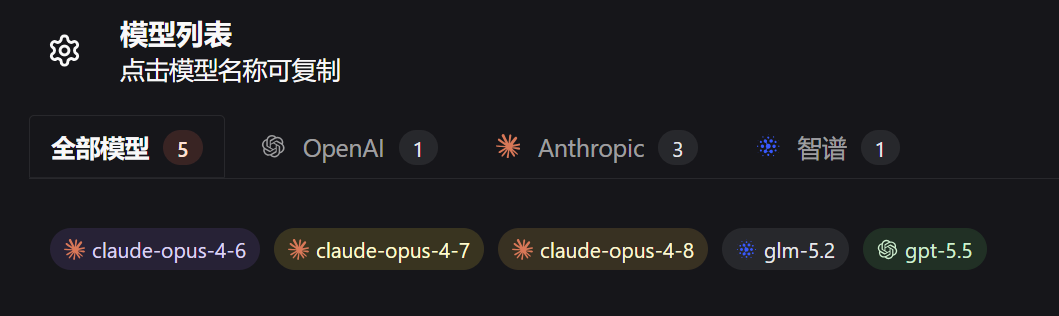
You can register/log in with GitHub and Linux Do accounts, and the model list includes gpt-5.5 and the Claude series. If you can register, you can use it as a backup option.
Registration requirements are here
Generating an AnyRouter API Key
Go to the API Tokens page in the backend and create a new token.
Name it whatever you want, but I suggest something clear, like:
cc-switch-anyrouterThe common information you’ll need to fill in is usually:
API Key: Your generated KeyBase URL: The API address provided on the AnyRouter homepageClaiming SharedChat GPT Quotas
For SharedChat, follow the activity entry points on its page.
This is itself a public welfare project that allows free GPT web-based conversations without registration. The admin recently launched another public welfare Codex project, which you can claim daily.
The process is roughly:
- Register/log in to the Codex Public Welfare Site using a QQ email, not the paid site. Of course, if you want to pay, that’s fine too.
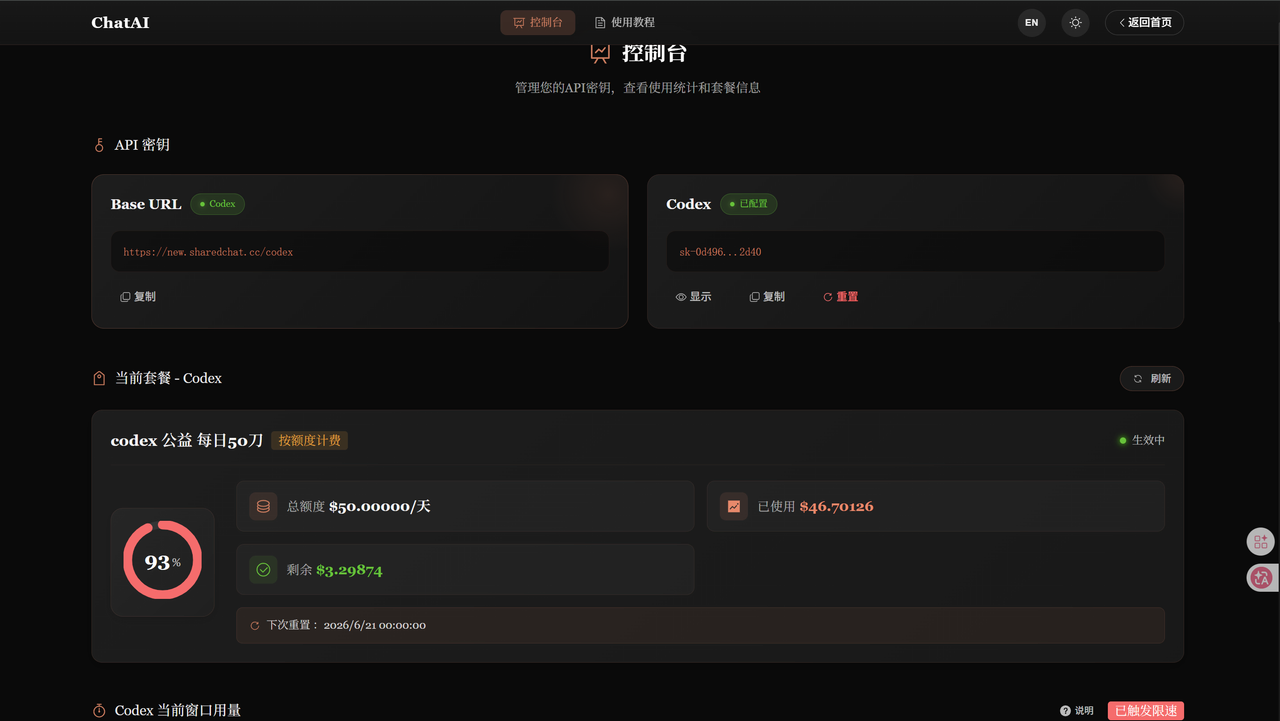
- Click ‘Apply’ in the bottom right, write a small reason, and you’re good. If your browser gives an error, try another browser or incognito mode.
Installing cc-switch
cc-switch official repository: https://github.com/farion1231/cc-switch
For Windows, usually download the .msi or portable zip. For macOS, check the installation methods in the README. For Linux, typically choose deb, rpm, or AppImage according to your distribution.
After installation, open it. It will detect existing AI CLI tools on your machine, read skills and history. You can use it to manage your current configurations, or to update and install related tools.
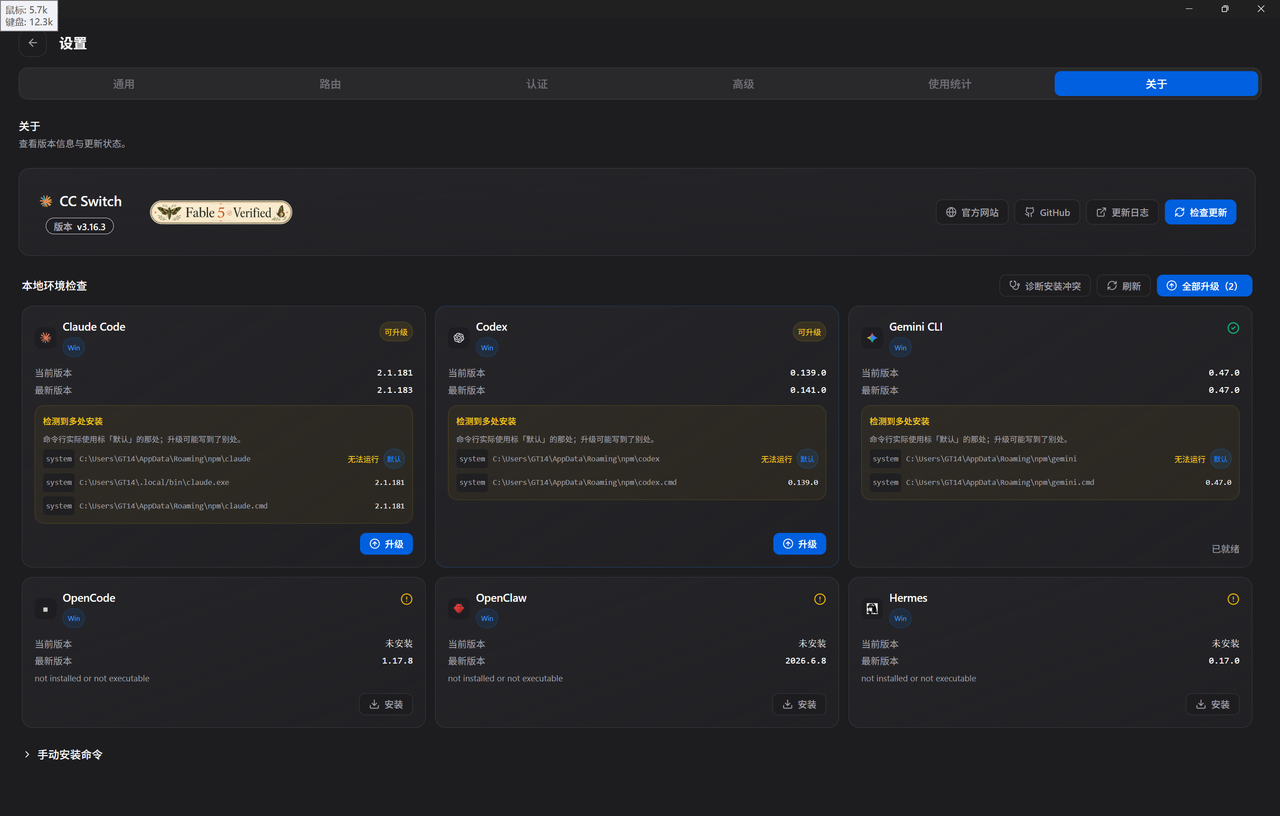
Adding Providers in cc-switch
Taking AnyRouter or Alibaba Cloud Model Studio as an example:
- Open cc-switch
- Go to the provider settings for Claude Code or the corresponding tool.
- Create a custom provider.
- Enter the provider name, e.g.,
Aliyun-BailianorAnyRouter. - Enter the API Key.
- Enter the Request Address / Base URL.
- Select the interface format as prompted on the platform page.
- Save.
- Click Use / Switch.
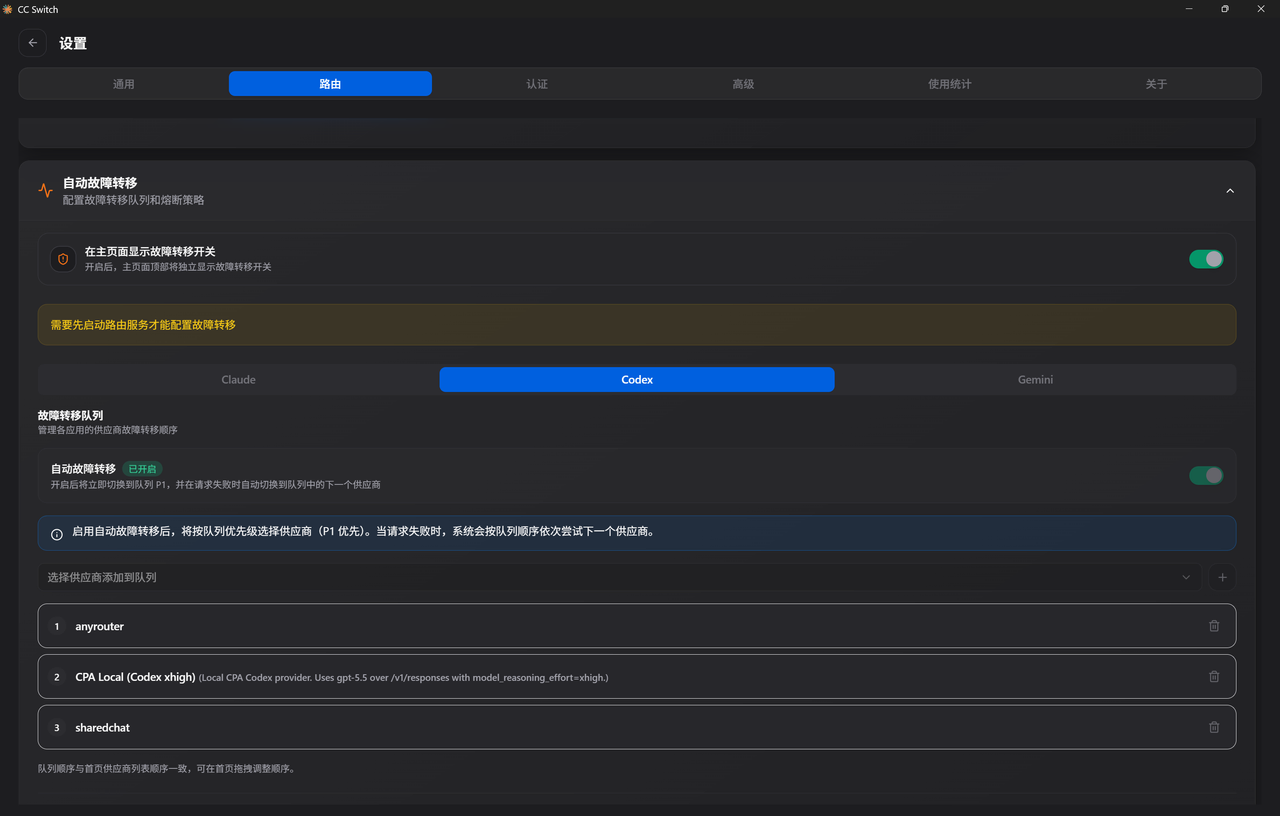
If you want to add multiple channels, create separate providers and name them clearly:
Bailian OfficialAnyRouter eduSharedChatNext time you switch, you’ll know which quota you’re using just by the name.
Enabling Automatic Routing in cc-switch
The simplest automatic routing configuration is to enable routing first, then arrange the failover order.
Enable routing in settings.
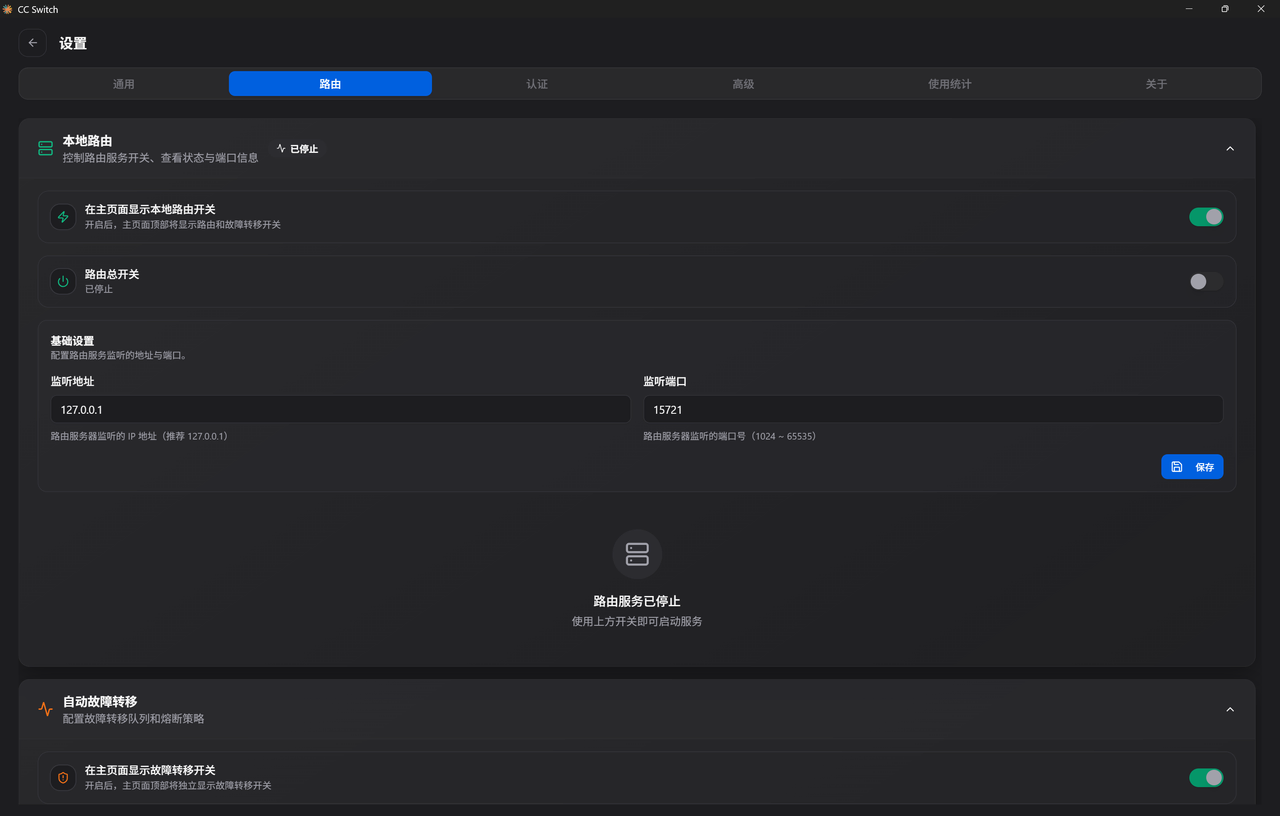
Arrange multiple providers in automatic failover.
Verifying It Works
After switching, restart your terminal, or just open a new one.
First, ask a question:
/initIf it returns normally, then try a code task.
If there’s an error, check these:
- Is the Key copied completely?
- Does the Base URL have an extra space or a missing path segment?
- Did you actually click Use / Switch in cc-switch?
- Was the terminal restarted?
- Has the quota for the corresponding site been used up?
- Is the model name one that the backend currently supports?
Common Issues
What to do if your EDU email can’t register
Most likely, your email is on AnyRouter’s blacklist.
However, you can also try capitalizing a segment of your school email domain to see if you can receive it. For example, if your email is stu.xxxx.edu.cn, you can try changing it to stu.Xxxx.edu.cn. Sometimes it might send, but whether you’ll reliably receive it is another story.
Can’t use after connecting to CPA, Sub2
Because AnyRouter primarily targets tool-side applications like Codex and Claude Code. If you want to connect it to places like CPA or Sub2, you might need to handle request headers. Below are just examples I noted during my troubleshooting.
| Header | Value |
|---|---|
| Authorization | Bearer sk-your_api |
| User-Agent | codex_cli_rs/0.114.0 (or other existing version) (Windows 10.0.26100; x86_64) |
AnyRouter is unusable, very laggy
There’s not much to do about this. After all, many people use it simultaneously, so stability depends on the current load. My experience is below.
NOTEYou just have to try your luck. Generally, gpt5.5 is quite easy to get started with, and once it’s working, it’s usually stable. Also, it’s often easier to get on board in the early morning hours.
When it’s crowded, you’ll have to queue. You can try opening a new session, sending a ‘hi’, enabling target mode, and if it disconnects, just resume. It usually connects within ten minutes; if not, it’s likely a configuration issue.
For more issues, you can check this out:
Clearing Obstacles for AnyRouter Usage!
Read next
Other official offers are in the student benefits hub. To put your project online, continue with an Azure VM in Japan or the Aliyun student voucher. For a static site, follow the Cloudflare Pages blog guide
After connecting a model, explore Search Gateway for search. My browser extension list covers reading, translation, and API tools