


Original Post & Authorization
Original: https://linux.do/t/topic/2161543
Authorized by the original author
I’ve been on linux.do for a while now, and I hope to bring some useful information to everyone. Thanks!
Revealing How Rogue Apps Trap and Hunt Users
To attract more technical personnel to join the analysis and expose the behavior of rogue software, I voluntarily waive all copyrights to this article. Anyone can freely repost, modify, or move this article without authorization or attribution.
Originally, I just wanted to write about how a certain app was rogue and bypassed store reviews, but then I found out this wasn’t an isolated case. So I stopped my analysis and instead wrote my own app to verify my ideas, to help everyone better understand these phenomena. Now, as an industry insider and mobile software developer, through a bit of self-reflection and experimentation, I’ve compiled these key points and their solutions.
From here on, I’ll expose industry truths from a first-person perspective:
I. How do rogue merchants increase app ad conversion rates?
Here are three common but unmentioned methods:
First, integrate the system vendor’s built-in ad SDKs. These “downloaders” have special permissions that allow them to silently download and install apps from the app store. (Users cannot disable the app store’s silent download and installation permissions.)
A few years ago, I even found that even with “guardian mode” (which prohibits app installation) enabled, such ads could still silently install apps.

Clicking the close button automatically downloads and installs the promoted app. This capability comes from the manufacturer’s own ad SDK.
Second, ads expand to full screen, and when the user brings up the virtual navigation bar (the “white bar”), it will 100% jump to the ad page.
This way, users will only think they accidentally swiped and tapped it.
In reality, the ad page monitors the navigation bar; if the navigation bar appears, it means the user has swiped, and it immediately jumps screens.
Initially, I guessed that the “release” action of the swipe was captured by the app ad page as a click. However, bringing up the white bar is actually intercepted by the system, and the app cannot detect where the user released their finger.

Notice the swipe trajectory, no extra clicks.
The third type is “screen-switching ads.” After a user switches out of the app for a period, when they return, a splash-screen-like ad page pops up.
Users often mistakenly think it’s due to insufficient phone memory, causing the app to be automatically cleared from the background.
These situations are too common for me to bother with screenshots.
Other non-technical ad tricks, such as stacking multiple layers of ads or using dark backgrounds to obscure semi-transparent close buttons, will not be discussed here for now.
II. Can we further increase ad reach?
A simple way is to let users use our app for a while, draw a heatmap to find frequently tapped areas, and then swap the “skip ad” and “enter” button positions.
If we don’t want users to quickly notice this trick, we can change the ad type, style, and button size, so users don’t consciously perceive it but their muscle memory is affected.
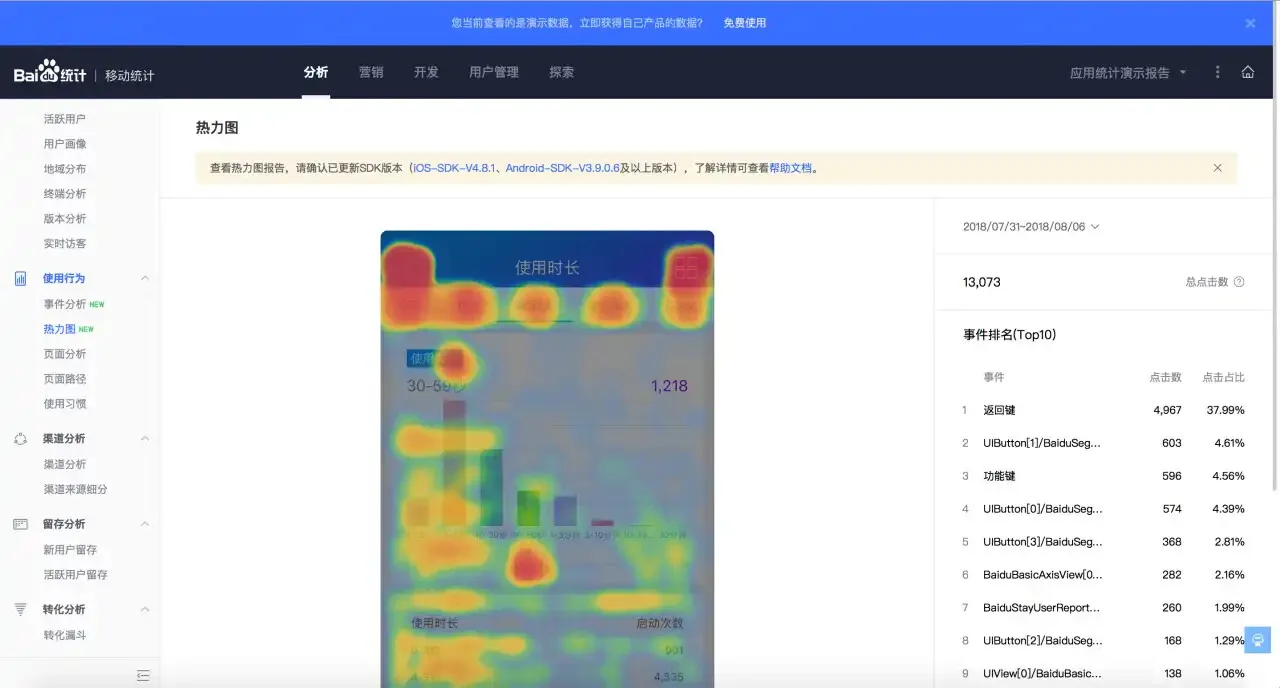
This image is from Baidu Mobile Analytics SDK.
III. How to distinguish between seniors and kids for precise targeting?
Seniors and children are two silent groups, and their behavioral characteristics are distinct.
Senior characteristics:
The thinking time for each operation is significantly longer than for young people.
For example, swipe operations (press, swipe, release) take >500ms.
They often have the “three big buttons” at the bottom.
For example, by comparing the phone’s screen size with the maximum display size within the app, we can determine if the user has enabled the navigation bar.
Their installed app list mostly consists of short dramas, short videos, “lite” versions, and audiobooks.
The system font scaling is set to “Large” or above.
Kid characteristics:
Because their fingers are small, we can determine this by calculating the pressure area (not a single indicator to conclude it’s a child).
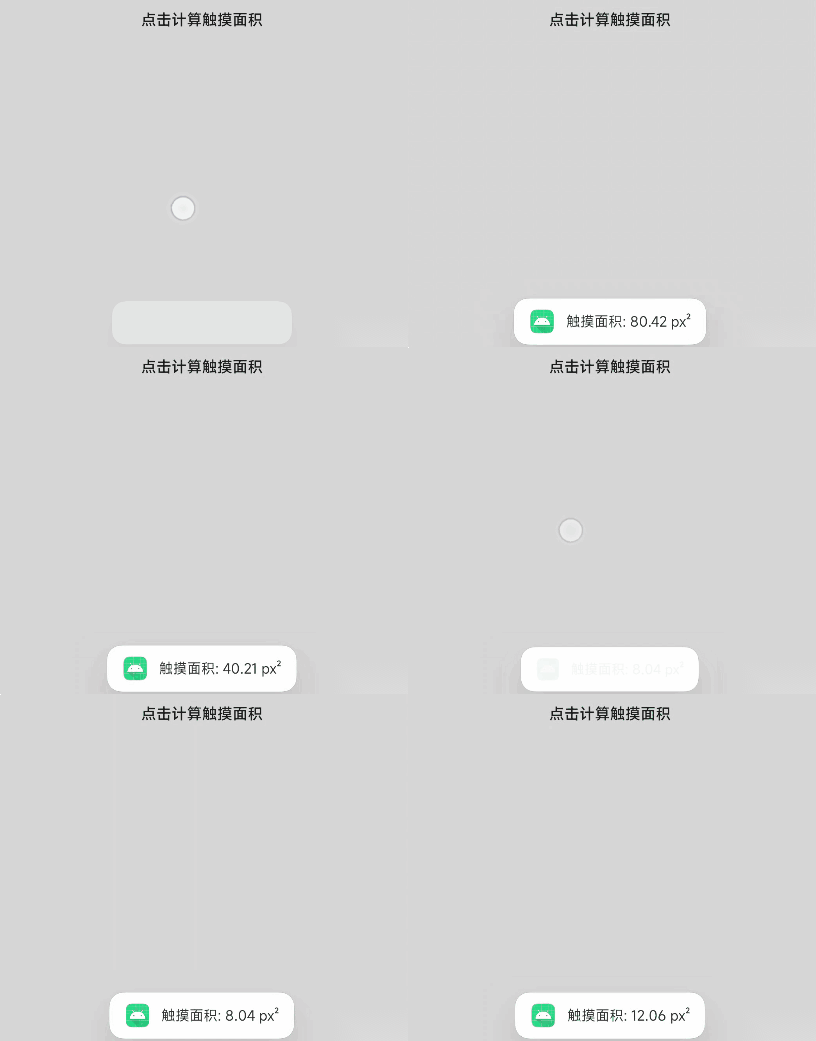
First two times: thumb (adult); last two times: pinky (simulating a child).
Their installed software mostly consists of games, and many are small games from the store.
These are important parts of user profiling. As long as we accurately identify them as seniors or children, ads can be pushed to them without restriction.
IV. What if the user denies permission to read the installed app list? Can we still get it?
Here’s a point: users often think that if they deny permission, it won’t be read, but it can actually be bypassed!!!!!!!!!!!!!!! (So, if you have any external software on your phone, anti-fraud can call you, of course, to advise you not to do bad things.)
As shown:
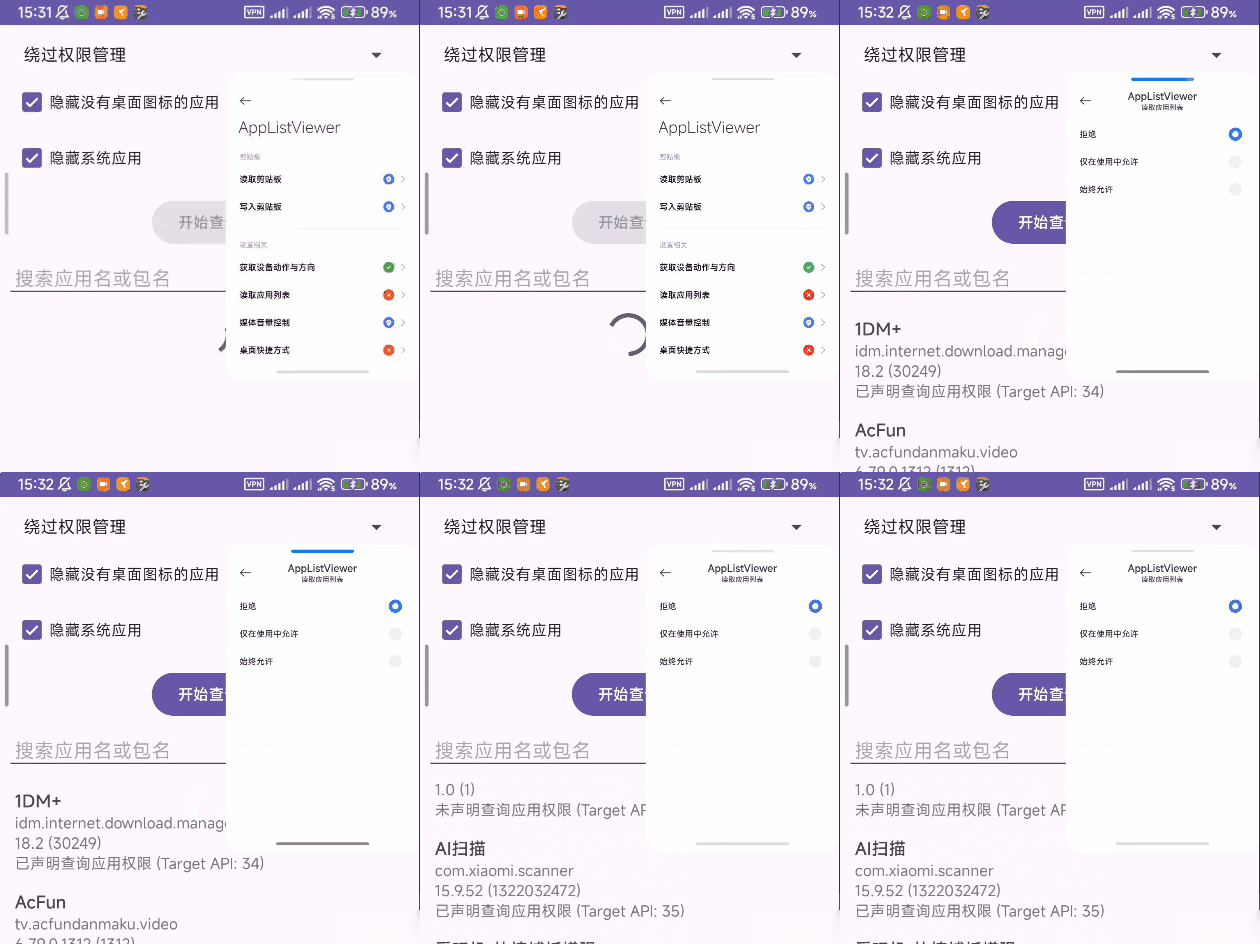
Even with app permissions denied, the app list can still be obtained by bypassing.
V. What if someone captures packets?
Detect proxies. As soon as a proxy is detected, change self-behavior (stop sending sensitive data, stop displaying rogue ads).
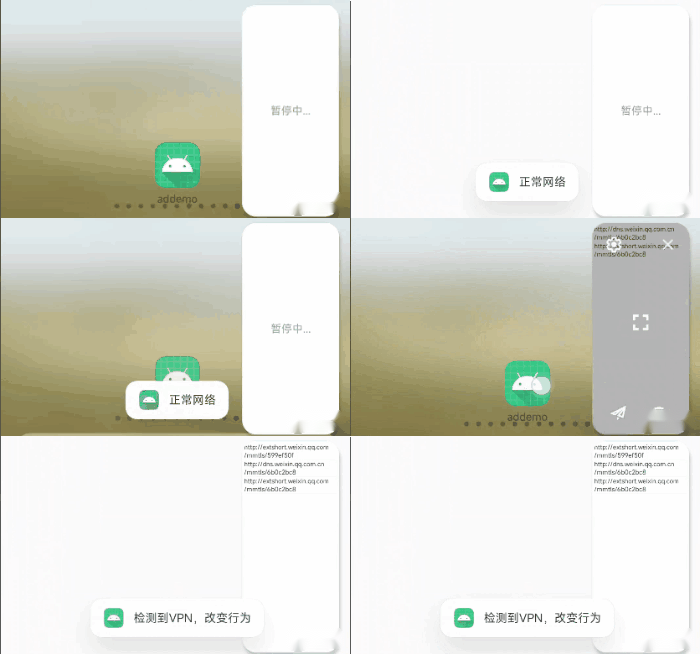
App behavior changes based on user’s network environment.
What if someone tries to reverse-engineer the app?
The confrontation is endless. Obfuscation, hardening, and anti-packet capture are enough to deter general technical personnel from analyzing. Big shots won’t bother with apps of our scale.
What if the app gets targeted?
If multiple parties target me, I’ll just surrender, take it down to avoid the storm, then rename it and come back.
If that doesn’t work, I’ll reskin it and put it back on the market, having applied for backup licenses in advance.
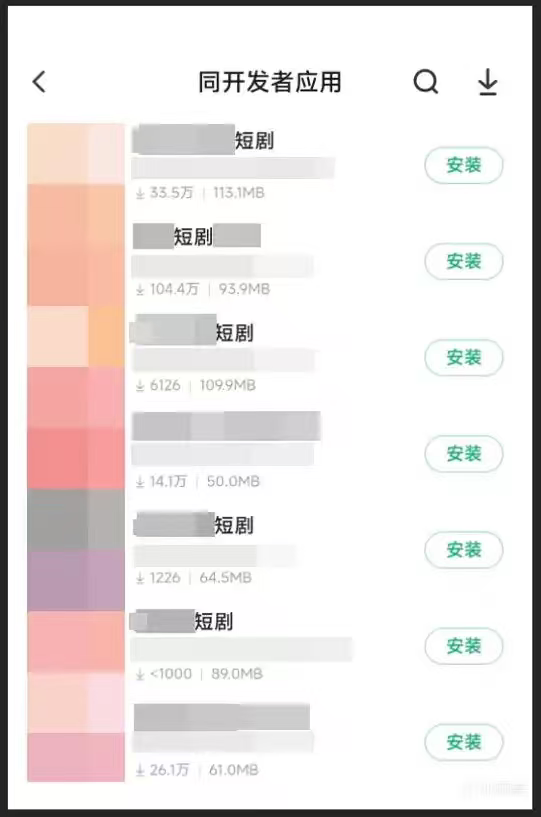
This is an example image, unrelated to this article.
What if a user wants to uninstall? How do we retain them?
Users habitually long-press the icon to uninstall, so we can add a fake uninstall entry to mislead them.
Then, upon entering, we send out some benefits to retain the user.
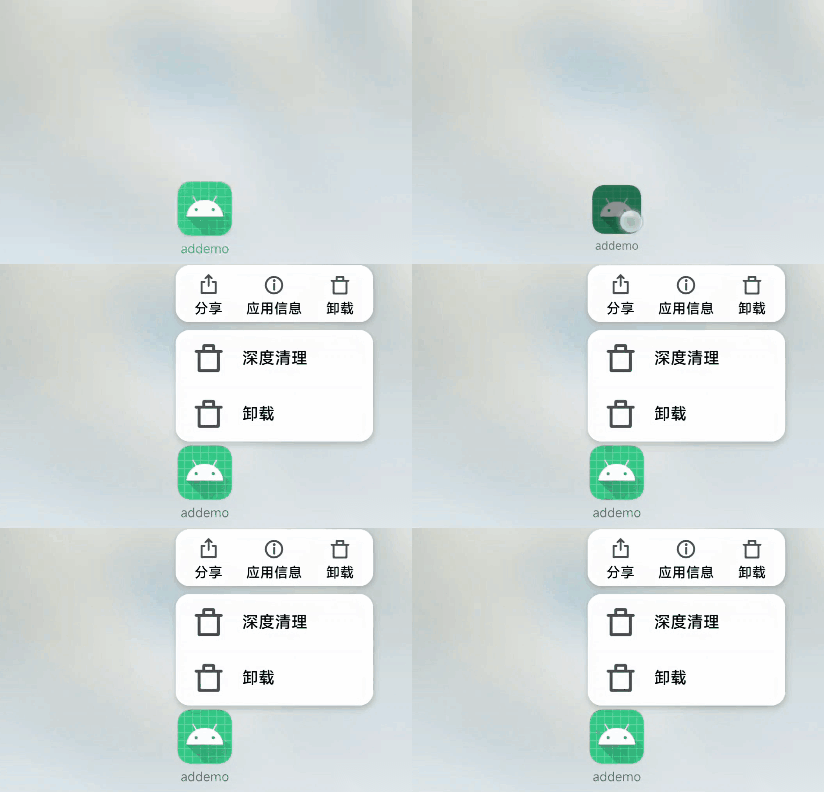
Fake uninstall entry in quick menu to divert users.
VI. What if a user wants to complain about us?
For example, for the ads we integrate, we can put a
fake complaint button that directs complaints to our own platform.
And also put a complaint feedback in the app’s personal center.
Interception is an efficient method. We provide a dedicated “green remote control” channel for these users.
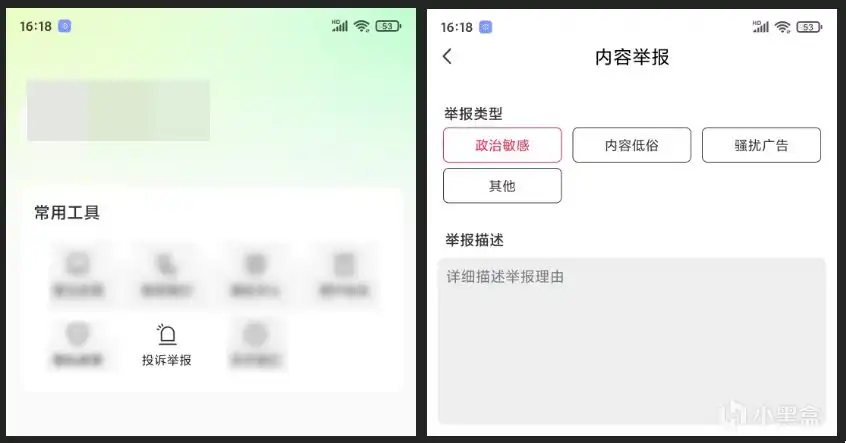
Complaint interception.
VII. If a user records the screen to expose us online, can we stop it?
There’s no interface to detect floating windows, but we can infer whether screen recording might be active by observing the view update speed (frame rate) after in-app operations.
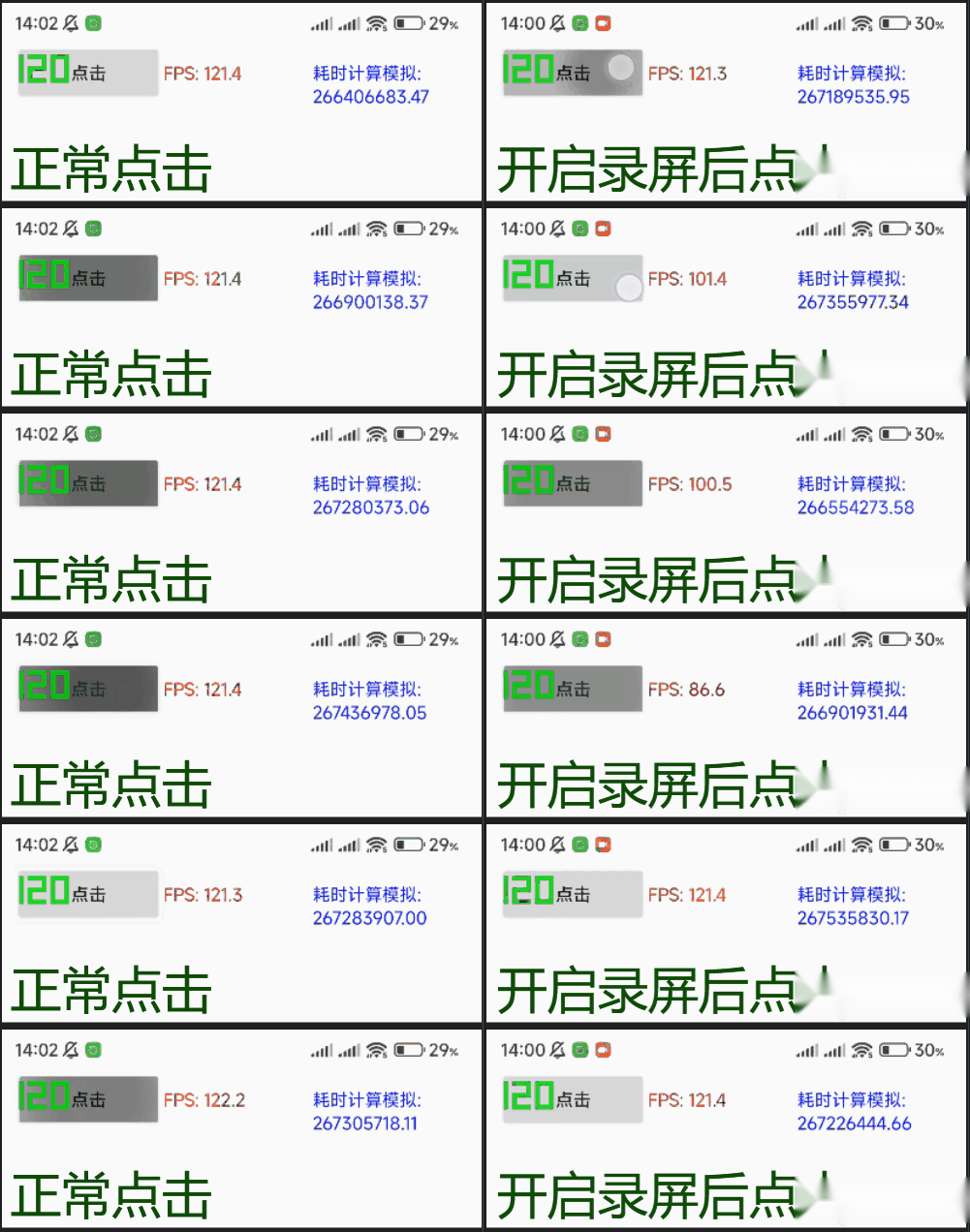
After screen recording is enabled, operation frames will fluctuate significantly.
I’ve tested playing 4K videos in floating windows and such, and they don’t affect the in-app operation frame rate.
Only screen recording shows a significant frame drop as pictured. I reserve my opinion on this detection method; it’s just an example.
Regarding preventing screen recording and screenshots, you can actually just call system interfaces to prohibit them directly, which is simple and crude. We can find an excuse like “Due to copyright considerations, this app prohibits screenshots and screen recording.” You see many apps, even mini-programs, are starting to abuse this feature.

Screenshots and screen recording are prohibited; forced recording results in a black screen.
VIII. How do we bypass manual review when submitting to app stores?
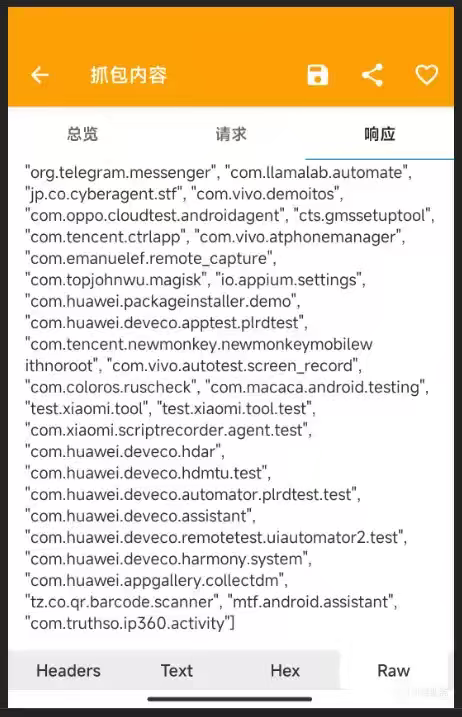
Reviewers’ Android virtual machines and phones have specific apps. We just need to detect these specific apps, and if they exist, open a “green channel.”
Also, don’t mess with lawyers; they’re tough to deal with. For example, during development, we can detect if lawyers’ commonly used “Truth Verification” app (com.truthso.ip360.activity) is on the phone to make our app stay silent. Similar cases involve sensitive individuals, like those in cybersecurity or public security departments—you know who I mean.
Remote control delivers configuration whitelist.
IX. How do we bypass review by the people at the very top?
We can combine multiple methods, detecting IPs in key cities like Beijing, Shanghai, and Guangzhou, and delivering remote control configurations specifically for them.
Detect business-oriented, high-end, or specially customized phone models, and randomly deliver packages (the people at the top wouldn’t be using Redmi or Honor, right?), making reproduction more difficult (but I don’t want to cut off everyone; high-end users are also our target).
I spent a lot of time collecting, reverse-engineering, analyzing, and writing code to verify, not to learn how to become such a villain, but to expose these malicious acts hidden deep in the code to the public.
When commercial interests become the sole driving force, technology ceases to be a tool that serves people and instead becomes a shackles that manipulates them.
Endless probing of boundaries is eroding the trust of the entire mobile internet ecosystem.
Technology should be used for good, not as a weapon to hunt users.
Return to friendly advertising, uphold human decency.
Here are some related development resources (replace # with .). Those interested can check them out:
Android API documentation:
developer#android.google#cn/reference/packages
Method to bypass app list permission to get app list:
github#com/LuoYunXi0407/AppListViewer
Now, after learning so many rogue software tricks, you should have a pretty good idea, right? Not to mention those obscure small software not listed in app stores; they’re even more disgusting than what’s mentioned above. This is the reality of the domestic app ecosystem, so, everyone, try not to download software from unknown sources.
If you have parents who aren’t tech-savvy, or elderly/children at home, it’s best to enable the phone’s built-in software manager to block things for them! (Unless otherwise needed, it’s best to lock down third-party installation permissions and payment permissions, or simply not bind payment cards.)
Also, a quick note: if you encounter app keywords like:
Cracked version, VIP unlock, live stream, big show, NSFW software, movie-watching software, adult, local dating, video chat, unknown VPN software, dating, investment and finance, betting, gambling…
Then what’s behind these isn’t just privacy theft; it’s very likely some Southeast Asian gray industry or criminal gang. Someone on this site has also exposed similar scams: https://linux.do/t/topic/205802?u=aichitangcupaigu
The original post included a forum poll here; the options are preserved below.
Have you encountered these rogue apps?
- Yes, I knew at the time, and didn’t download after finding out.
- Yes, I knew at the time, but still wanted to check it out and installed it.
- Yes, I didn’t know at the time, downloaded and tried it.
- No, I usually only download software from official channels / I am an iOS user.
Thanks for your enthusiastic likes and rockets, fellow users! If you have any questions, feel free to ask in the comments, and I will respond as appropriate.
The author’s donation link in the original post is not replicated here. If you wish to support the author, please visit the original post.
Hope this article helps everyone protect themselves, their elderly family members, and children!
Some information may be outdated